

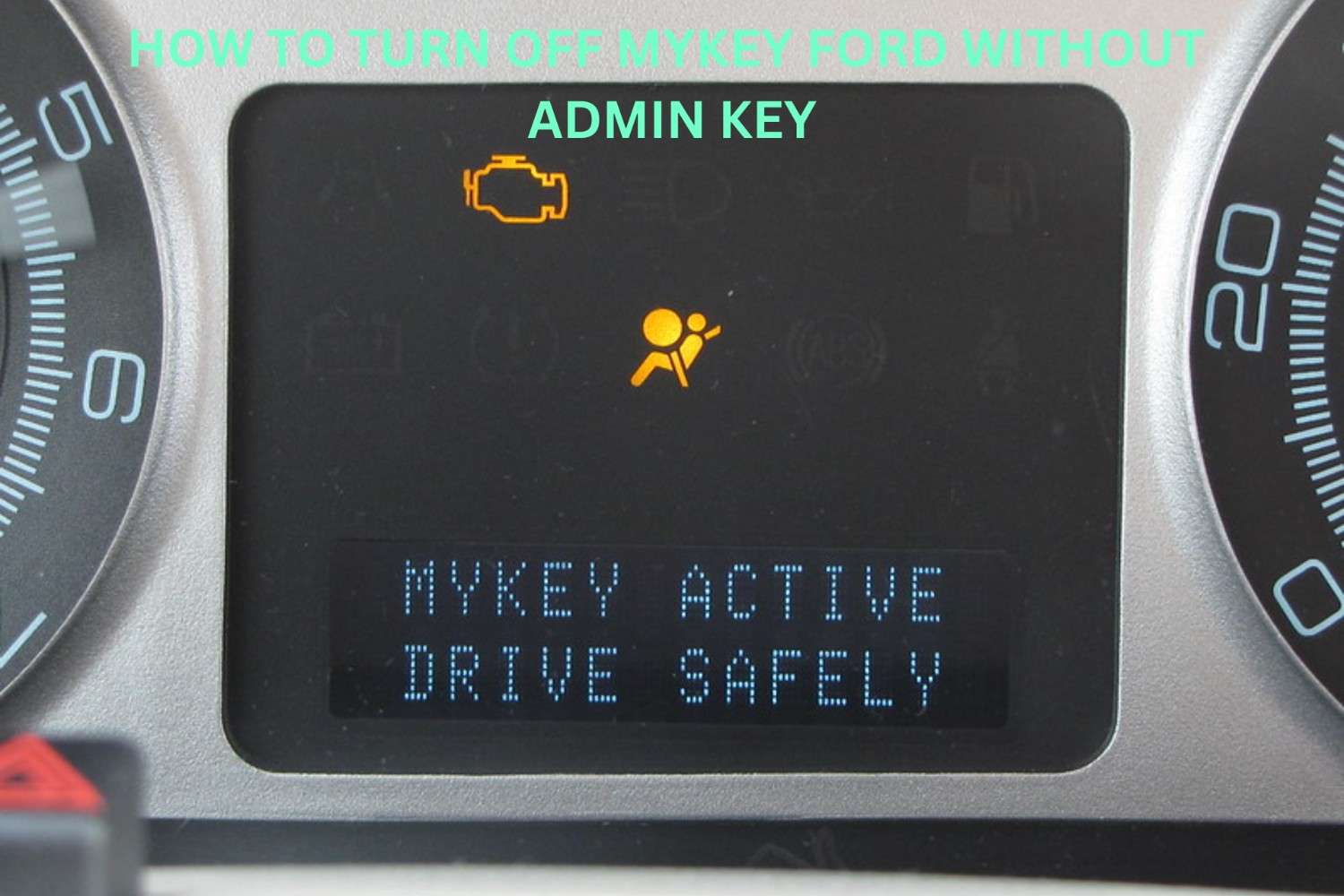
Prerequisites and What You’ll Need
Ford MyKey is Ford’s built-in driver restriction system — useful for parents monitoring new drivers, but frustrating when you’re locked out without the original admin key. If you’ve purchased a used Ford, lost your admin key, or simply can’t remember which key holds administrator privileges, figuring out how to disable MyKey Ford can feel like challenging.
The good news? There are legitimate, proven approaches to regain full control of your vehicle without necessarily having that original admin key on hand.
Before diving into solutions, gather a few essentials:
- All physical keys associated with your vehicle
- Your vehicle identification number (VIN)
- Access to a Ford dealership or OBD-II diagnostic tool (depending on your chosen method)
- Proof of vehicle ownership
Understanding exactly how MyKey works — and the critical difference between an admin key and a MyKey — is the essential foundation. That distinction shapes every solution available to you.
Step 1: Understanding Ford MyKey and Admin Key
Before you can successfully disable Ford MyKey without an Admin key, it helps to understand exactly what you’re working with — and why the system is designed to make this difficult.
Ford MyKey is a programmable key-based restriction system embedded in the vehicle’s Body Control Module (BCM). When a key is designated as the Admin key, it holds master-level control over all MyKey settings. Every other programmed key automatically becomes a restricted MyKey. The key point: turn off MyKey restrictions requires presenting the Admin key to the system directly — or finding a workaround at the software level.
What typically happens is that the Admin key gets lost, sold with the car, or was never transferred during a private sale. According to CarBuzz, this is one of the most common frustrations used-car buyers encounter.
Understanding this system architecture matters because the solution isn’t mechanical — it’s entirely software-driven, which opens the door to the FORScan method covered next.
Step 2: Using FORScan to Disable MyKey
FORScan is a Windows-based diagnostic software tool designed specifically for Ford, Lincoln, and Mercury vehicles — and it’s a reliable method to disable MyKey without an Admin key. Unlike generic OBD-II scanners, FORScan communicates directly with Ford’s proprietary modules, giving you access to settings that standard tools simply can’t reach.
Here’s what makes FORScan particularly valuable in this situation:
- It reads and writes to the Instrument Panel Cluster (IPC) module where MyKey data is stored
- It can clear MyKey configurations without requiring Admin key authentication
- It’s free to download, with an optional extended license for advanced features
FORScan turns a dealer-level operation into something any prepared owner can accomplish at home — provided you have the right adapter and follow the process carefully.
One important caveat: you’ll need a compatible ELM327-based OBD-II adapter (preferably USB) to establish the connection. Bluetooth adapters can work but are generally less stable for module programming tasks.
With the software basics in mind, the next step is physically connecting FORScan to your vehicle — which requires a specific setup process to ensure a clean, uninterrupted session.
How to Connect Your Vehicle to FORScan
With FORScan downloaded and ready, the next step is physically connecting your vehicle so the software can communicate with its modules — and ultimately clear MyKey settings entirely.
What you’ll need:
- A compatible ELM327-based OBD-II adapter (extended MS-CAN support is strongly recommended for Ford vehicles)
- A Windows laptop or PC
- Your vehicle’s ignition in the “On” position (engine off is fine)
Plug the OBD-II adapter into your vehicle’s diagnostic port, typically located beneath the dashboard on the driver’s side. Then launch FORScan and select the correct COM port or USB connection corresponding to your adapter.
Once connected, FORScan will begin automatically scanning and identifying your vehicle’s modules. You’ll see a list populate — this confirms communication is established. As this walkthrough demonstrates, a successful connection is the critical foundation for everything that follows.
A stable connection matters. Any interruption during module writing could cause errors or incomplete changes. With the link confirmed, you’re ready to navigate FORScan’s interface to locate the specific MyKey configuration settings.
Navigating FORScan to Access MyKey Settings
Once your vehicle is connected and FORScan has successfully identified its modules, you’re ready to locate the MyKey configuration. This is where the main process occurs — and where many users without an admin key finally regain full control.
Follow these steps inside FORScan:
- Open the Modules panel — Select the BCM (Body Control Module) from the module list
- Navigate to the Configuration tab — Look for the “As-Built” data section
- Search for MyKey parameters — These appear as specific hex values tied to key restrictions
- Modify the target value — Change the MyKey-associated setting to disable restrictions
- Write the changes — Click “Write” to push the updated configuration to the module
In practice, the entire navigation process takes under five minutes once you’re familiar with the interface. Changing a single hex value can completely unlock the restrictions that a missing admin key would otherwise require.
A few caveats: always record the original values before modifying anything, as incorrect entries can affect unrelated vehicle functions. Double-check each change before writing.
FORScan offers a powerful path forward — but it’s not the only option available, as the next section explores.
Step 3: Alternative Methods to Consider
While FORScan is a reliable software-based approach, it’s not the only path forward when MyKey restrictions are standing between you and full vehicle control. Depending on your situation, a few other options are worth exploring before — or alongside — the FORScan method.
Dealer reprogramming is the most straightforward alternative. A Ford dealership can clear all MyKey settings through their proprietary diagnostic tools, typically within a single service appointment. The tradeoff is cost and time.
Key replacement and programming is another route. Some owners have success getting a new key programmed as an admin key, effectively creating fresh administrative access from scratch. This approach is covered thoroughly in this walkthrough.
A few practical considerations:
- Dealers may require proof of ownership
- Locksmiths with Ford-compatible programmers can sometimes assist
- Results vary by model year and trim level
Each method carries its own set of trade-offs — something worth examining closely before committing to any one approach.
Potential Risks and Considerations
Before committing to any method for clearing MyKey restrictions, understanding the trade-offs is essential. No workaround is completely without consequence, and approaching this process with clear expectations prevents unpleasant surprises.
Warranty and software implications are the most significant concern. Using third-party OBD-II software to modify module settings can, in some cases, flag changes that a Ford dealership might detect during a service visit. While this rarely causes lasting problems, it’s worth knowing beforehand.
A few other considerations to keep in mind:
- Incorrect module edits can cause unintended behavior if configurations are changed without proper understanding
- Battery disconnection tricks are inconsistent — results vary widely by model year and trim
- Dealer resets may not be possible without proof of ownership or a valid Ford admin key
In practice, the risks are manageable when the correct steps are followed carefully. The methods covered throughout this guide are widely used and generally reliable — but individual results depend on your specific vehicle’s year, firmware version, and current key configuration.
Understanding what can go wrong is just as valuable as knowing the right steps. Keeping that balance in mind, the next section walks through real-world scenarios that illustrate exactly how these methods play out.
Example Scenarios: Turning Off MyKey
Understanding how these methods apply in real-world situations helps clarify which approach makes the most sense for your circumstances. Here are two common patterns that illustrate the process.
Scenario 1 — Lost Admin Key After Vehicle Purchase: A used car buyer discovers MyKey restrictions are active but has no admin key from the previous owner. In practice, this is the most frequent situation. The recommended path is attempting a dealer visit first, since Ford dealerships can verify ownership and clear settings directly through the vehicle’s system.
Scenario 2 — All Keys Are Programmed as MyKey: When every physical key in your possession has MyKey restrictions applied, FORScan becomes the most practical software-based solution. Connecting via an OBD-II adapter and navigating the Body Control Module settings allows full access without any physical admin key.
Both scenarios carry the risks and caveats outlined earlier. What typically happens is that users encounter unexpected prompts or error codes during the process — exactly the kind of hiccups the next section addresses in detail.
Troubleshooting Common Issues
Even with the right approach, a MyKey reset doesn’t always go smoothly on the first attempt. Understanding why things go wrong can save significant frustration.
The system isn’t recognizing the admin key. This is one of the most common complaints. In practice, the issue often traces back to a key that was never properly programmed as an admin key in the first place, or one that was reprogrammed to a restricted profile at some point. Double-check the key’s status through the MyKey menu before proceeding.
The menu options appear grayed out. This typically means a restricted key is currently in the ignition. Swap to a different key and try again.
Settings reset but restrictions return. This usually points to multiple MyKey profiles still stored in the system. Clearing all keys and reprogramming them from scratch resolves the conflict in most cases.
One reliable principle: if the process fails twice using the same method, switching approaches entirely is more effective than repeating the same steps. These quirks highlight why understanding the system’s limitations matters — something the next section addresses directly.
Limitations and Considerations
Before committing to any reset method, it’s worth understanding where these approaches fall short. No workaround is universally reliable, and setting realistic expectations prevents wasted effort.
Dealer reprogramming remains a dependable solution, but it comes with time and cost. Dealership availability, service fees, and scheduling delays can make this route inconvenient for urgent situations.
SYNC MyKey resets through the infotainment menu only work when a valid admin key is present — without one, that menu path is locked. This is a deliberate security design, not a glitch, meaning software-only shortcuts have hard boundaries built in.
A common pattern is that older Ford models respond differently to reset attempts than newer ones. Vehicle year, trim level, and software version all influence which methods succeed.
One important caveat: unofficial methods, including locksmith reprogramming, may not carry any warranty protection. If something goes wrong, liability rests entirely with the vehicle owner.
Understanding these boundaries helps set realistic expectations — something the final takeaways will reinforce clearly.
Key Takeaways
Knowing how to turn off Ford MyKey without admin key access is genuinely useful — but it comes with real constraints worth remembering. No workaround is guaranteed, and dealer intervention remains the most reliable fallback when other methods fail.
Here’s what to carry forward:
- The battery disconnect trick is the most commonly attempted workaround, but success rates vary by vehicle year and software version
- Dealer reprogramming is a reliable solution — costly, but permanent
- Replacement keys can restore admin access, though the process requires professional programming
- Compatibility gaps, software updates, and regional differences all affect which approach works for your specific vehicle
In practice, the safest path is always attempting the simplest method first, then escalating systematically. Rushing or skipping steps wastes time and risks compounding the problem.
The most reliable key is always the one you program yourself — treat admin key access as a priority from day one.

24 Comments
Pingback: how to turn off mykey ford without admin key – Skyteck
There is definately a lot to find out about this subject. I like all the points you made
Works perfectly with no fps drop and the configuration is simple. I highly recommend this to anyone looking to dominate their lobbies.
Partner with us and enjoy high payouts—apply now!
Start sharing, start earning—become our affiliate today!
Promote our brand and watch your income grow—join today!
You’re so awesome! I don’t believe I have read a single thing like that before. So great to find someone with some original thoughts on this topic. Really.. thank you for starting this up. This website is something that is needed on the internet, someone with a little originality!
Start sharing, start earning—become our affiliate today!
I appreciate you sharing this blog post. Thanks Again. Cool.
I like the efforts you have put in this, regards for all the great content.
Nice post. I learn something totally new and challenging on websites
Thanks for sharing this helpful post — clear, actionable, and practical advice.
Become our partner and turn referrals into revenue—join now!
Join our affiliate community and maximize your profits—sign up now!
very informative articles or reviews at this time.
naturally like your web site however you need to take a look at the spelling on several of your posts. A number of them are rife with spelling problems and I find it very bothersome to tell the truth on the other hand I will surely come again again.
xqvdvl
https://shorturl.fm/T1DmS
https://shorturl.fm/nA9ep
webdesign agentur bamberg https://websiteerstellenlassenbamberg.de/
webdesign agentur bamberg https://websiteerstellenlassenbamberg.de/
https://shorturl.fm/QNN9i
https://shorturl.fm/3JQkc
https://shorturl.fm/ABh9X