

If you’ve ever hesitated before screenshotting a WhatsApp chat, you’re not alone. The short answer to “does WhatsApp notify screenshots” is no — for most content, no alert of any kind is sent. But that’s not the complete picture. Two specific features don’t notify — they block the screenshot entirely.
Whether you’re capturing chats, checking status updates, or wondering about View Once photos, this guide covers every scenario — including the technical reasons, the 2026 profile picture update, and remaining privacy gaps.
Quick Answer: Does WhatsApp Notify Screenshots? (2026 Reference Table)
This table covers every content type — standard chats, status updates, stories, View Once media, profile pictures, video calls, photos, WhatsApp Web, and screen recording.
| Content Type | Can You Screenshot? | Does Anyone Get Notified? |
|---|---|---|
| Regular 1-on-1 chats | ✅ Yes | ❌ No |
| Group chats | ✅ Yes | ❌ No |
| Status / Status updates | ✅ Yes | ❌ No |
| Stories | ✅ Yes | ❌ No |
| Disappearing messages | ✅ Yes (while visible) | ❌ No |
| Regular photos in chat | ✅ Yes | ❌ No |
| Video calls | ✅ Yes | ❌ No |
| Screen recording (chats/calls) | ✅ Yes | ❌ No |
| View Once photos/videos | 🚫 Blocked | ❌ No — but it fails |
| Profile pictures (mobile, full-screen) | 🚫 Blocked on most devices | ❌ No — but it fails |
| Profile pictures (WhatsApp Web/Desktop) | ✅ Yes — block doesn’t apply | ❌ No |
Bookmark this. The rest of the article explains the reasoning behind each row.
Why WhatsApp Doesn’t Notify Screenshots — What’s Actually Happening Under the Hood
Most articles skip this entirely and jump straight to the yes/no answers. But understanding the mechanism explains why this policy is unlikely to change for regular chats — and why the exceptions work the way they do.
How Screenshots Work at the OS Level
When you press the screenshot shortcut on your phone, it’s your operating system — Android or iOS — that does the work. The OS captures the current frame buffer and saves it to your gallery. The app on screen has no inherent knowledge that this happened. WhatsApp is not given an API callback that says “a screenshot just occurred.” That event is outside its visibility entirely.
This is fundamentally different from, say, activating the microphone or camera — permissions WhatsApp explicitly requests. Screenshot capture requires no permission. The OS handles it silently, and apps only know about it if they specifically register to intercept it — which WhatsApp deliberately has not done for standard content.
Why End-to-End Encryption Reinforces This
WhatsApp’s end-to-end encryption prevents even Meta from accessing message content. Adding screenshot notifications would require activity logging that conflicts with their privacy architecture.
The FLAG_SECURE Mechanism: Blocking Instead of Notifying
For the two content types where WhatsApp does intervene — View Once media and profile pictures — it uses Android’s FLAG_SECURE window flag (and an equivalent mechanism on iOS). This flag tells the OS: do not allow this screen to be captured. The OS complies. The result isn’t a notification to the other person; it’s a failed screenshot on your end. You either get a black image in your gallery or an on-screen error. The sender never hears about it. This is the distinction most people miss: WhatsApp blocks, it doesn’t notify.
Does WhatsApp Notify Screenshots of Chats?
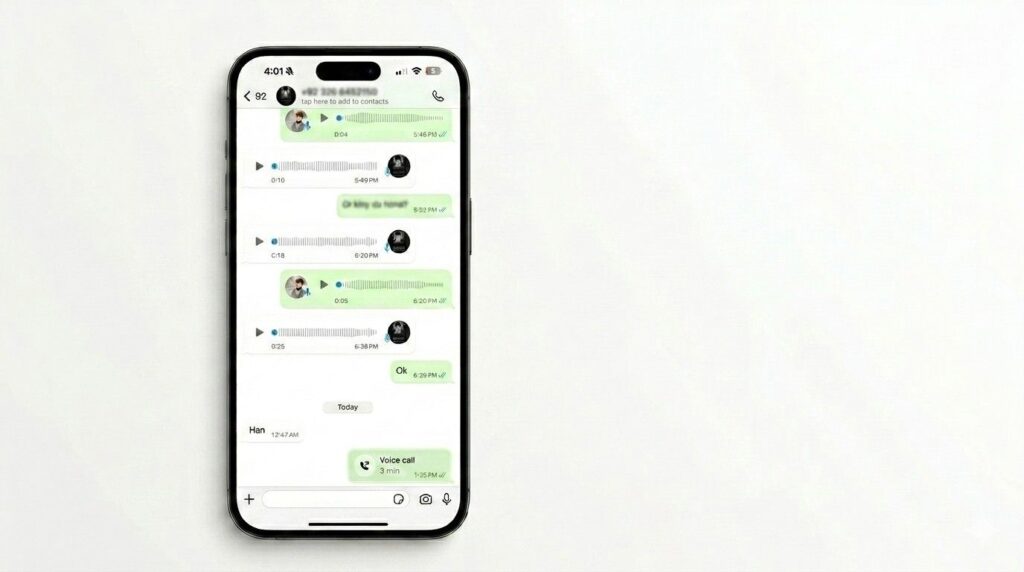
Regular 1-on-1 Chats
No notification is sent. This has been WhatsApp’s position since it launched in 2009, and nothing in 2024, 2025, or 2026 has changed that for standard conversations. You can screenshot text, shared links, voice note listings, forwarded messages, documents — any element of a private chat — and the person on the other end gets no alert. The screenshot action never reaches WhatsApp’s servers.
Group Chats
The same applies across the board. No group member — including the group admin — receives a notification when someone screenshots the conversation. WhatsApp does not log this event or distribute it to participants.
Disappearing Messages
This trips people up because disappearing messages sound more protected than they are. Messages set to auto-delete after 24 hours, 7 days, or 90 days can still be freely screenshotted during the window they’re visible. WhatsApp does not notify the sender when you capture a disappearing message. They are not the same as View Once — disappearing messages operate on a timer and stay readable until it expires. Screenshot-blocking is not part of how they work.
The Social Reality: Can They Ever Find Out?
WhatsApp won’t tell them. But if you forward that screenshot to a mutual contact, post it somewhere public, or share it in another group, the original person could find out through entirely non-app means. The platform is silent; people aren’t always.
Does WhatsApp Notify Screenshots of Status?
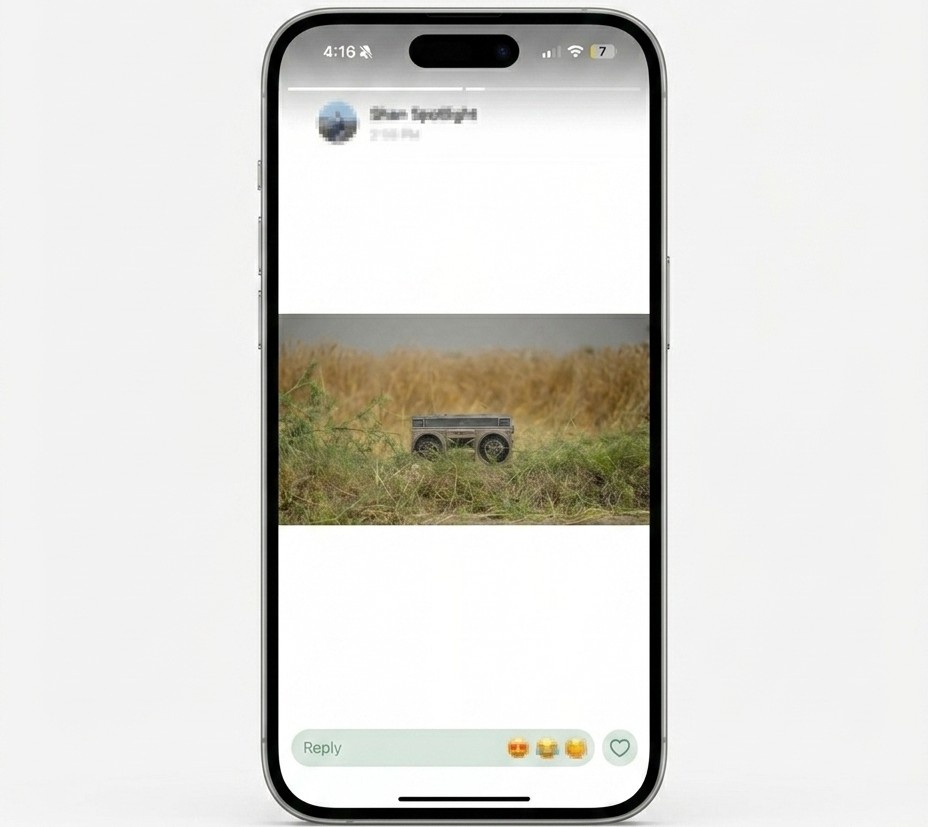
Screenshot a Status — Is Anyone Alerted?
No. WhatsApp Status — photos, videos, GIFs, and text posts that disappear after 24 hours — can be screenshotted without any notification reaching the person who posted. This has never changed, across 2024, 2026, and into 2026. The screenshot detection system simply does not exist for status content.
Viewer List vs Screenshot Detection: A Critical Distinction
Here’s where people get confused. When you watch someone’s status update, your name appears in their viewer list. They know you saw it. But viewing and screenshotting are two completely separate events, and only the first is tracked. There is no “screenshot viewer” list in WhatsApp. The poster can confirm you watched their story — they cannot confirm you saved it. Understanding this distinction matters if you’re concerned about your own privacy on the platform.
Does WhatsApp Notify Screenshots of Stories?
“Stories” and “Status” refer to the same feature on WhatsApp. These terms are used interchangeably across search queries, but the functionality is identical. No screenshot notification for either — same answer, same reasoning.
Does WhatsApp Notify Screenshots of View Once Messages?
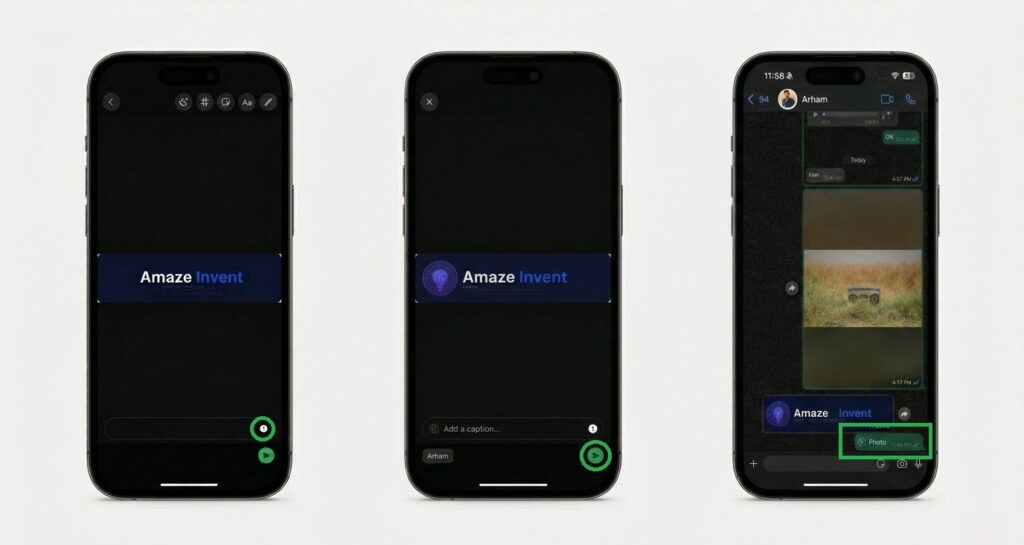
What Is View Once?
Introduced in 2021 and significantly strengthened in 2023, View Once lets you send photos or videos that disappear after a single opening. The design intent is straightforward: share something sensitive — a document, an ID, a private image — without it being permanently accessible. Once the recipient opens it, the media is gone.
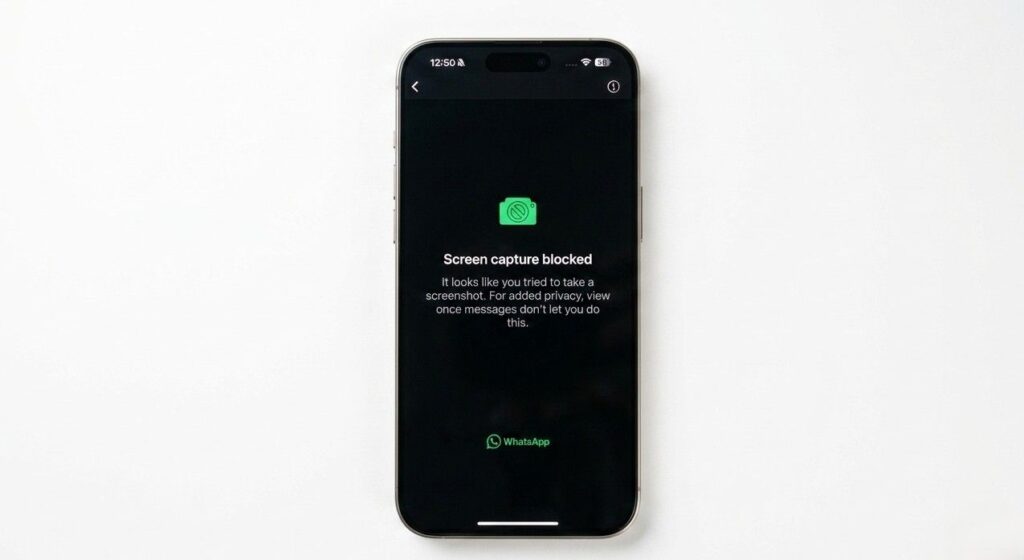
What Actually Happens When You Try to Screenshot View Once Media
This is where understanding the FLAG_SECURE mechanism becomes practical. When you open a View Once photo or video and attempt a screenshot:
- Your OS processes the shortcut
- WhatsApp’s
FLAG_SECUREflag intercepts the capture at the window level - Instead of the image, your gallery saves a completely black frame
- Or you see an on-screen message stating the action isn’t permitted
Does the Sender Get Notified If You Try?
No. The sender receives zero notification — no alert, no badge, no delivery status change. The block is entirely silent on their end. This is one of the most circulated misconceptions about the feature. WhatsApp does not tell the sender you attempted a screenshot. The media just doesn’t let itself be captured.
Can It Be Bypassed?
Honestly, yes — and WhatsApp is aware of this limitation. The FLAG_SECURE block operates at the app layer, which means a second physical device pointing at your screen can photograph the View Once content freely. On rooted Android devices, some third-party screen recorders have also bypassed it. The block is meaningful protection against casual capture, not against a determined person. WhatsApp still recommends it for sensitive content because it raises the bar considerably — it just doesn’t make it impossible.
Does WhatsApp Notify Screenshots of Profile Pictures?
The 2026 Profile Picture Block — What Actually Changed
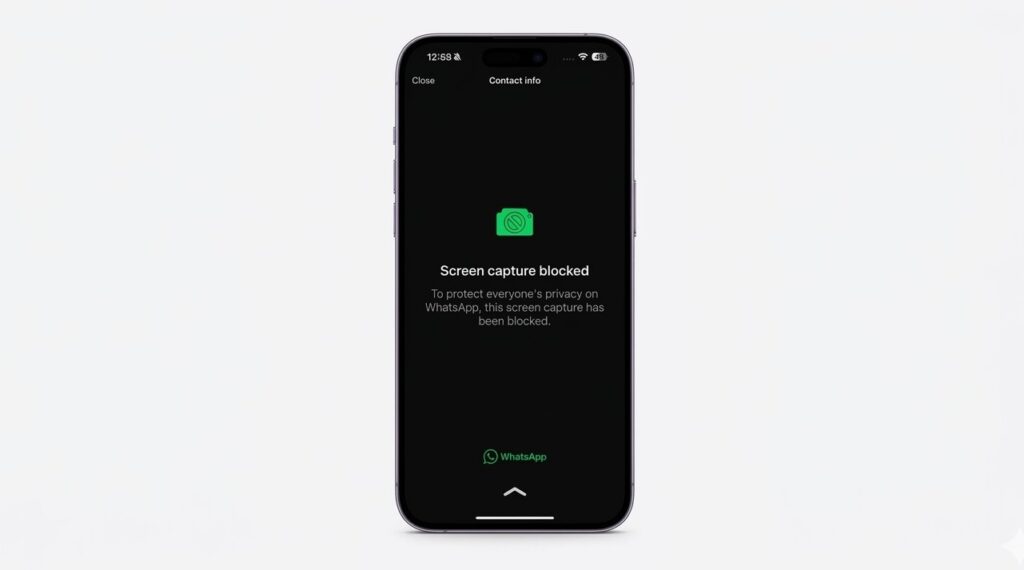
This is the update that genuinely surprised users. Starting in late 2024, WhatsApp began rolling out FLAG_SECURE protection for profile photos viewed in full-screen on mobile. By 2026, the block was widely deployed across Android and iOS. The primary motivation was anti-impersonation — profile photos being saved and used to create fake accounts had become a documented problem, particularly targeting women and public figures.
The result: attempt to screenshot a contact’s profile photo in full-screen, and you get a black image saved to your gallery. The contact receives no notification. The failure is yours alone, and it’s silent on both ends.
Device Variability
The block doesn’t apply equally everywhere. Older Android models, outdated WhatsApp versions, or certain manufacturer-specific OS skins may not enforce it reliably. On a modern device running a current WhatsApp version, it works. On a three-year-old phone that hasn’t updated in months, results vary.
The WhatsApp Web and Desktop Exception — The Gap No Competitor Mentions
This is the most significant gap in WhatsApp’s current privacy protection, and every competing article misses it. The FLAG_SECURE block only applies to the mobile app. If someone opens WhatsApp Web in a browser or uses the WhatsApp Desktop app and navigates to your profile, they can screenshot your profile picture cleanly using any standard OS tool — Windows + Shift + S, Print Screen, Command + Shift + 4 on Mac. The browser environment has no equivalent restriction. If profile picture privacy matters to you, the only real solution is restricting who can see it via Settings → Privacy → Profile Photo.
Does WhatsApp Notify Screenshots of Video Calls?
Screenshotting During a Call
No notification is sent to any participant. WhatsApp video calls — one-on-one or group — can be screenshotted at any point without WhatsApp reporting that to anyone on the call. The interface is treated the same as a regular chat window for screenshot purposes.
Screen Recording During Video Calls
WhatsApp has no capability to detect screen recording during calls on any platform. You can record a call and the other participants won’t receive an app-generated alert. There are two OS-level caveats worth knowing: iOS displays a red or orange status bar indicator when screen recording is active, visible on your own device — not the other person’s. Android shows a recording notification in its status bar on your phone. Neither of these indicators is controlled or read by WhatsApp. They’re system behaviors, not app behaviors. The other person would have to physically see your phone screen to notice them.
WhatsApp Web and Desktop — Does Screenshot Behavior Change?
How Screenshots Work on WhatsApp Web
WhatsApp Web runs inside a browser. When you take a screenshot using OS tools — Print Screen on Windows, Cmd + Shift + 4 on Mac — WhatsApp has no visibility into that action. No FLAG_SECURE equivalent exists in a browser context. Regular chats, status previews, media, and profile photos can all be captured freely.
View Once on WhatsApp Web
View Once media cannot be opened in WhatsApp Web at all. The app redirects you to open it on your phone. This means there’s no screenshot scenario to worry about on desktop for this specific feature — the content simply isn’t accessible there.
Profile Pictures on WhatsApp Web
The mobile block does not carry over. If someone opens your WhatsApp profile via WhatsApp Web and takes a screenshot, they get your profile image with no restriction. This is a documented gap. Until WhatsApp extends the protection to web clients — which they have not announced — the only mitigation is limiting profile photo visibility in your privacy settings.
WhatsApp Screenshot Policy: Full Timeline (2009–2026)
How the Approach Has Evolved
WhatsApp started with no screenshot restrictions of any kind. Every piece of content was freely capturable from day one. That remained true for over a decade. The first meaningful change came with View Once in 2021, though early implementations had more bypass vulnerabilities than the current version. In 2023, View Once screenshot blocking was significantly hardened across Android and iOS. The profile picture block arrived in late 2024 and rolled out broadly through 2026.
| Period | Policy |
|---|---|
| 2009–2020 | No restrictions on any content |
| 2021 | View Once launched — block present but inconsistently enforced |
| 2023 | View Once block strengthened on Android and iOS |
| Late 2024 | Profile picture screenshot block begins rolling out |
| 2025 | Profile picture block widely deployed on mobile |
| 2026 | No new restrictions — current policy unchanged |
Android vs iOS: Any Meaningful Difference?
What Differs Between Platforms
On Android, FLAG_SECURE is enforced at the OS level, but third-party screen recorders and rooted devices have historically bypassed it with varying success. Devices running Android 8 or earlier are particularly inconsistent. On iOS, Apple’s sandboxing model is stricter — bypasses via in-app tools are rarer, and the block tends to hold more consistently across device models.
One practical iOS difference: screen recording on iPhone captures audio from calls by default. Android doesn’t do this unless the recorder is specifically configured to. Not a WhatsApp decision — just a platform behavior that matters if you’re recording calls.
What’s Identical on Both
For every unblocked content type — regular chats, group conversations, status updates, stories, photos, video calls — Android and iOS behave identically. No notification is sent on either platform. The screenshot freedom is equal.
Common WhatsApp Screenshot Myths — Debunked
Myth 1: WhatsApp Will Start Notifying Chat Screenshots in 2026
This claim circulates every few months on social media and is consistently false. No such announcement exists. WhatsApp’s entire privacy architecture — encryption model, minimum data logging, decentralized message storage — works against building notification systems for regular chat screenshots. The platform would need to fundamentally change its model to implement this. It’s not coming.
Myth 2: Attempting a View Once Screenshot Alerts the Sender
False, and this one frustrates users who believe they’ve been caught when they haven’t. The block is silent. The sender receives nothing. Your screenshot attempt fails — quietly — and they never know it happened.
Myth 3: WhatsApp Can Detect Screen Recording
No. Screen recording operates at the OS level for unblocked content, and WhatsApp has no detection capability. The View Once block applies to screen recording too — but for everything else, it’s undetectable.
Myth 4: Screenshotting WhatsApp Chats Is Always Legal
The app doesn’t restrict it, but your jurisdiction might have something to say about what you do with those screenshots. In the UK and EU, sharing someone’s private messages publicly without consent can raise issues under data protection frameworks. The screenshot itself isn’t the problem — misuse of it can be.
How to Take a Screenshot on WhatsApp
On Android
Press Volume Down + Power button simultaneously. Hold for one second until the capture animation plays. Find it under Gallery → Screenshots.
On iPhone
- Face ID models (iPhone X and later): Press Side button + Volume Up simultaneously
- Home button models (iPhone 8 and earlier): Press Home + Power button simultaneously
The thumbnail appears at the bottom-left. Tap to edit or let it auto-save to Photos.
On WhatsApp Web (PC or Mac)
- Windows: Press Win + Shift + S to open the Snipping Tool, or PrtScn for full screen
- Mac: Press Cmd + Shift + 4, drag to select your area
How to Protect Your WhatsApp Content from Being Screenshotted
Use View Once for Sensitive Media
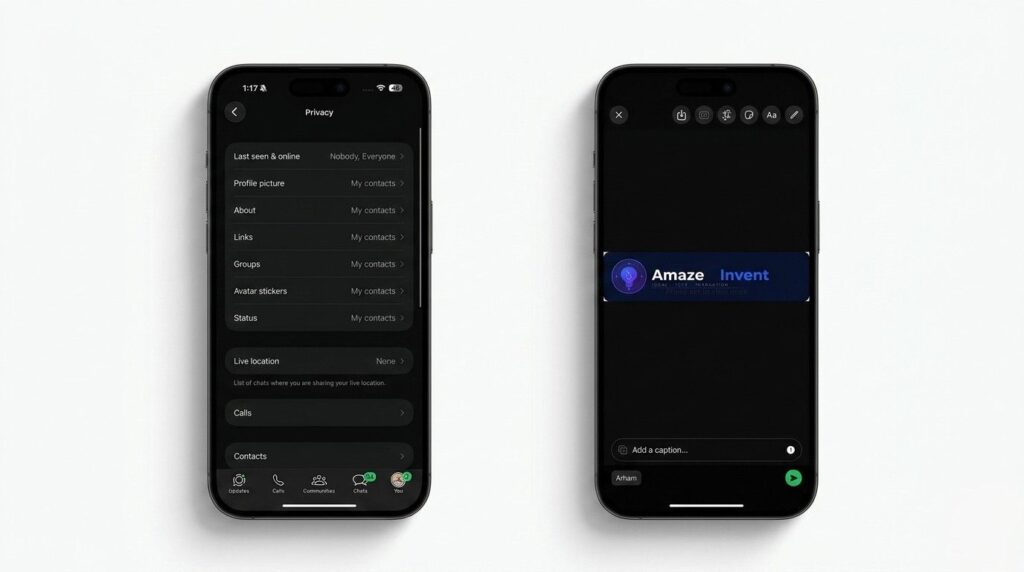
For any photo or video you genuinely don’t want saved, View Once is the most effective native tool. It won’t stop a second-device bypass, but it blocks the casual screenshot completely on most devices.
Restrict Your Status Visibility
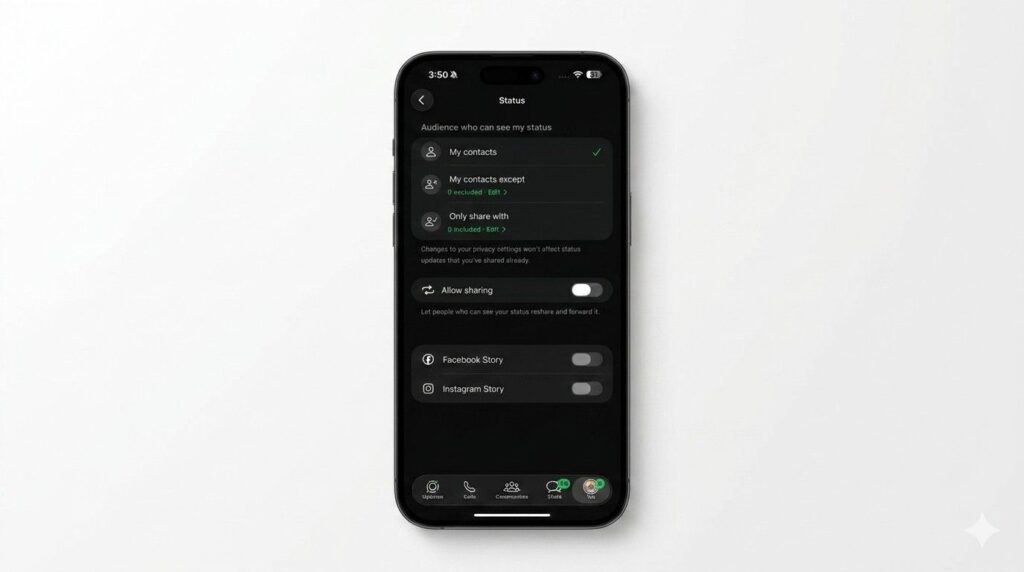
Go to Settings → Privacy → Status and limit visibility to “My Contacts Except…” or “Only Share With…”. Fewer viewers means fewer opportunities for capture.
Lock Down Profile Photo Access
Set your profile photo visibility to “My Contacts” or “Nobody” under Settings → Privacy → Profile Photo. This doesn’t rely on the screenshot block — it prevents people from accessing the image to screenshot in the first place.
Use Disappearing Messages
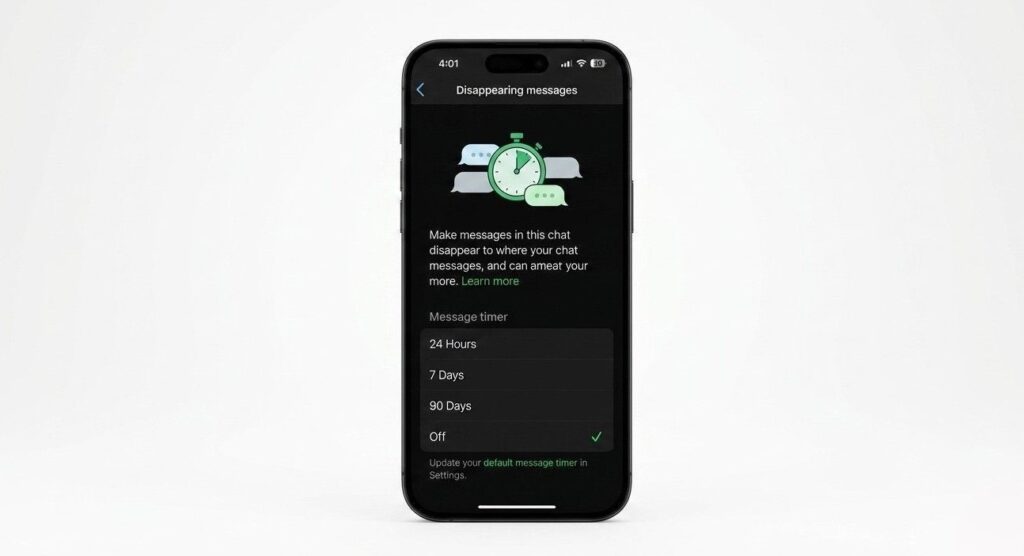
Go to any chat → tap the contact name → Disappearing Messages → choose your timer. Messages set to 24 hours give the smallest window of exposure. This doesn’t prevent screenshots while messages are visible — it just limits how long they’re accessible.
Two-Step Verification
Go to Settings → Account → Two-Step Verification and enable it. This protects against unauthorized account access — if someone logs into your WhatsApp on another device, they can screenshot everything. Locking that door matters.
WhatsApp vs Snapchat vs Instagram vs Telegram
| Feature | Snapchat | Telegram | ||
|---|---|---|---|---|
| Regular chats | ❌ No notification | ✅ Notifies | ❌ No notification | ❌ No notification |
| Stories / Status | ❌ No notification | ✅ Notifies | ❌ No notification | N/A |
| Disappearing messages | ❌ No notification | ✅ Notifies | ✅ Notifies (Vanish Mode) | ✅ Notifies (iOS Secret Chat) |
| View Once / self-destructing | 🚫 Blocks (no notification) | ✅ Notifies | ✅ Notifies | 🚫 Blocks (iOS Secret Chat) |
| Profile pictures | 🚫 Blocks on mobile | N/A | ❌ No restriction | ❌ No restriction |
| Screen recording | ❌ No detection | ✅ Notifies | ❌ No detection | ❌ No detection |
Why WhatsApp Chose “Block, Don’t Notify”
This is a deliberate design decision, not a technical gap. Notification systems require logging screenshot events — an action WhatsApp would need to process and transmit server-side. That contradicts the end-to-end encrypted, minimum-logging model the platform is built on. Snapchat operates differently because it was built from day one around ephemeral content with notification as a core feature. WhatsApp started as a simple messenger and has retrofitted privacy features over time — always opting for the approach that requires less behavioral tracking.
Frequently Asked Questions
Does WhatsApp Notify Screenshots of Chats in 2026?
No. Nothing changed in 2026 for standard chat screenshots. No notification is sent.
Does WhatsApp Notify Screenshots of Status in 2026?
No. Status screenshot notifications have never existed on WhatsApp and remain absent in 2025 and 2026.
Does WhatsApp Notify Screenshots of Status Updates?
No. Status updates — regardless of format, photo, video, or text — generate no screenshot alerts.
Does WhatsApp Notify Screenshots View Once 2026?
No notification is sent, but the screenshot is blocked. You receive a black image. The sender receives nothing.
Can Someone Tell If I Screenshot Their WhatsApp Story?
No. WhatsApp does not include screenshot detection in its story / status viewer data.
Does WhatsApp Detect Screen Recording?
No. WhatsApp cannot detect screen recording for any standard content type. View Once media is blocked from in-app recording, but undetected via external device.
Are Profile Picture Screenshots Blocked on WhatsApp Web?
No — the block only applies to the mobile app. WhatsApp Web allows profile picture screenshots via OS tools.
Did WhatsApp Change Its Screenshot Policy in 2024 or 2026?
Yes — the profile picture screenshot block rolled out in late 2024 and was broadly deployed through 2026. No other changes were made to the screenshot policy in that period.
Here’s the clearest way to understand WhatsApp’s position on screenshots: the platform protects what it considers most vulnerable — your face, your identity, and content you’ve explicitly marked as one-time-view — and leaves everything else alone. For regular conversations, group chats, status posts, and video calls, WhatsApp takes the view that policing how users save content would require behavioral tracking that contradicts its own privacy architecture. That’s not a loophole — it’s a deliberate trade-off. The practical implication is simple: if you’re sharing something in a standard WhatsApp chat, treat it as potentially screenshottable. Use View Once for sensitive media, restrict your status and profile photo visibility, and rely on disappearing messages to limit long-term exposure. The app won’t protect you from someone determined enough to point a second phone at their screen — but for everyday privacy, the built-in tools are solid when you actually use them.
Last verified: May 2026. WhatsApp updates its app regularly across platforms. Always confirm behavior against the version running on your specific device.
