


Starting an Etsy shop is quick, but a few steps trip people up. The clicking is easy. The surprises are the ID check, the bank link, the card on file, and fees you may not expect. This guide helps you get started with an Etsy shop in the right order, with costs and fixes along the way. Plan for an hour or two.
Quick answer: how to open an Etsy shop
To start an Etsy shop, go to Etsy.com/sell on a computer, sign in or create an Etsy account, and follow the setup screens. Here are the steps in order.
- Go to Etsy.com/sell and select Get started.
- Sign in or create an Etsy account.
- Choose your shop language, country, and currency.
- Name your shop.
- Connect your bank account and add a debit or credit card.
- Pay the one-time set-up fee, if Etsy charges you one.
- Verify your identity with a photo ID and a selfie.
- Turn on two-factor security.
- Select Open your shop, then add your first listing and publish.
Etsy charges no monthly fee for a standard shop. Each listing costs $0.20. When you sell, you pay a 6.5% transaction fee plus 3% + $0.25 for payment processing. Etsy doesn’t publish the set-up fee amount. Guides report $15 to $29, and Etsy shows your exact amount on screen before you confirm.
What Etsy asks for before your shop can go live
- A computer. You must set up your shop in a desktop browser. After that, you can run it from the Etsy Seller app.
- A bank account. US sellers connect it through a service called Plaid. Etsy sends your sales money here.
- A government photo ID and a selfie. Etsy requires you to verify your identity (Step 9), and it uses a company called Persona for the check. Your ID can’t be expired, and the name on it must match the name on your bank account.
- A debit or credit card. Etsy bills your fees to this card, and it covers the set-up fee if one applies. A prepaid card you can’t reload can’t be your only or main card.
- A phone or authenticator app. Etsy requires two-factor sign-in. An authenticator app is the recommended way.
- Your seller type. Etsy asks if you sell as an individual or sole proprietor, or as an incorporated business.
- One listing, ready to go. Have photos, a title, a price, and a short description.
How much does it cost to start an Etsy shop?
How much is it to start an Etsy shop? Less than most businesses, but not always nothing. Here is every fee a new seller may meet.
| Cost | Amount (US) | When you pay it |
|---|---|---|
| One-time set-up fee | Not published by Etsy. Guides say about $15 for US sellers and up to $29 in some places. Some 2026 US screens showed $29. | During setup, when you tick the ‘Total due now’ box. It’s final once paid, and Etsy sometimes waives it. |
| Listing fee | $0.20 per listing | When you publish, and again each time the listing renews after four months |
| Transaction fee | 6.5% | On the item price plus any shipping and gift wrap you charge, when something sells |
| Payment processing | 3% + $0.25 | On each sale through Etsy Payments |
| Offsite Ads fee | 15%, or 12% once you reach $10,000 in sales over a year | Only on orders that come from Etsy’s outside ads, capped at $100 per order |
| Etsy Plus (optional) | $10 per month | Only if you sign up |
| Currency conversion | 2.5% | If your listing currency differs from your bank’s currency |
Be careful with older guides. Some, including big-name ones, still list a 5% transaction fee. That is out of date. Etsy raised it to 6.5% in 2022.
Here is what one sale looks like. Say you sell a $25 item and charge $5 shipping, so the order is $30.
- Transaction fee: 6.5% of $30 = $1.95
- Payment processing: 3% of $30 + $0.25 = $1.15
- Listing fee: $0.20
That is $3.30 in fees, so you keep $26.70 before your own costs. If the buyer came from an Offsite Ad, add $4.50 (15% of $30). Fees then total $7.80, and you keep $22.20. Sales tax isn’t part of your price. The transaction fee doesn’t apply to US sales tax, but the processing fee does.
How to start an Etsy shop with no money
Can you start an Etsy shop for free? Almost. There’s no monthly fee, but you still need a card on file, a set-up fee may apply (plan for up to $29), and each listing costs 20 cents. So you can start with very little, though not always with $0. These habits keep your costs low:
- Sell digital files first. Planners, printables, and templates need no stock and no shipping.
- Try print on demand. A print-on-demand partner prints, packs, and ships each order after a sale, so you don’t hold inventory.
- Start with a few listings. Ten listings cost $2.00. Add more once something sells.
Skip Etsy Plus and paid ads on day one, and don’t buy stock until you know people want it.
Know the rules first: what you can sell, AI, licenses, taxes, and age
To start an Etsy shop legally, you mostly follow three sets of rules: Etsy’s, your local rules, and tax rules. Etsy doesn’t require a business license, but your city, county, or state might, so check your local rules.
What you can sell
Every item must be made, designed, handpicked, or sourced by you. In plain words:
- Made: things you create yourself, like knitted scarves or pottery.
- Designed: your own original designs, sold as digital downloads or printed by a partner.
- Handpicked: vintage items at least 20 years old, plus other items you curate.
- Sourced: craft supplies, party items, or personalized items.
Reselling products bought from businesses that don’t qualify breaks Etsy’s rules and can get your account suspended. Don’t use famous characters, logos, or fan art on your designs, either. Copyright problems can shut down a shop fast.
Etsy’s AI rules (updated October 2026)
Etsy changed its AI and photo rules on October 22, 2026. Reports on the update say AI art is still allowed when you play a clear creative role, such as writing your own prompt, and you say AI was used. They also say Etsy now bans AI-made patterns, recipes, and instructions, and listings made by bots with no human involved. Most listings now need at least one unedited photo of the real item on a real background. Some print-on-demand, digital, custom, and made-to-order items are exempt. Read Etsy’s Listing Image Requirements and Seller Handbook before you list.
Taxes
In most US states, Etsy collects sales tax from buyers and sends it to the state for you. You still owe income tax on what you earn. Self-employed people also pay self-employment tax, which covers Social Security and Medicare. It is generally 15.3%, and you usually owe it once your net earnings from self-employment reach $400. You generally need to make estimated payments during the year if you expect to owe at least $1,000 in tax after withholding and credits. Check IRS.gov for current rules.
Etsy sends a 1099-K form once you reach $20,000 and 200 sales in a year. That was the rule for the 2025 tax year, and some states set lower limits. Not getting a form doesn’t mean you owe nothing. Keep your sales and expense records, and ask a tax professional about your case.
Age rules
Etsy allows teens ages 13 to 17 to sell only through an account owned by a parent or guardian, with their permission and supervision. The parent must be the shop owner, and all financial details must be theirs. Everyone who works in the shop must be listed in the About section. Children under 13 can’t use Etsy. If someone under 18 opens their own account, Etsy may close it for good.
Step by step: open your Etsy shop
These steps follow Etsy’s screens. We captured Steps 1 to 6 on November 23, 2026. We did not reach the screens after that, so Steps 7 to 11 follow Etsy’s Help Center instead. Etsy can show them in a slightly different order, so follow your screen if it differs.
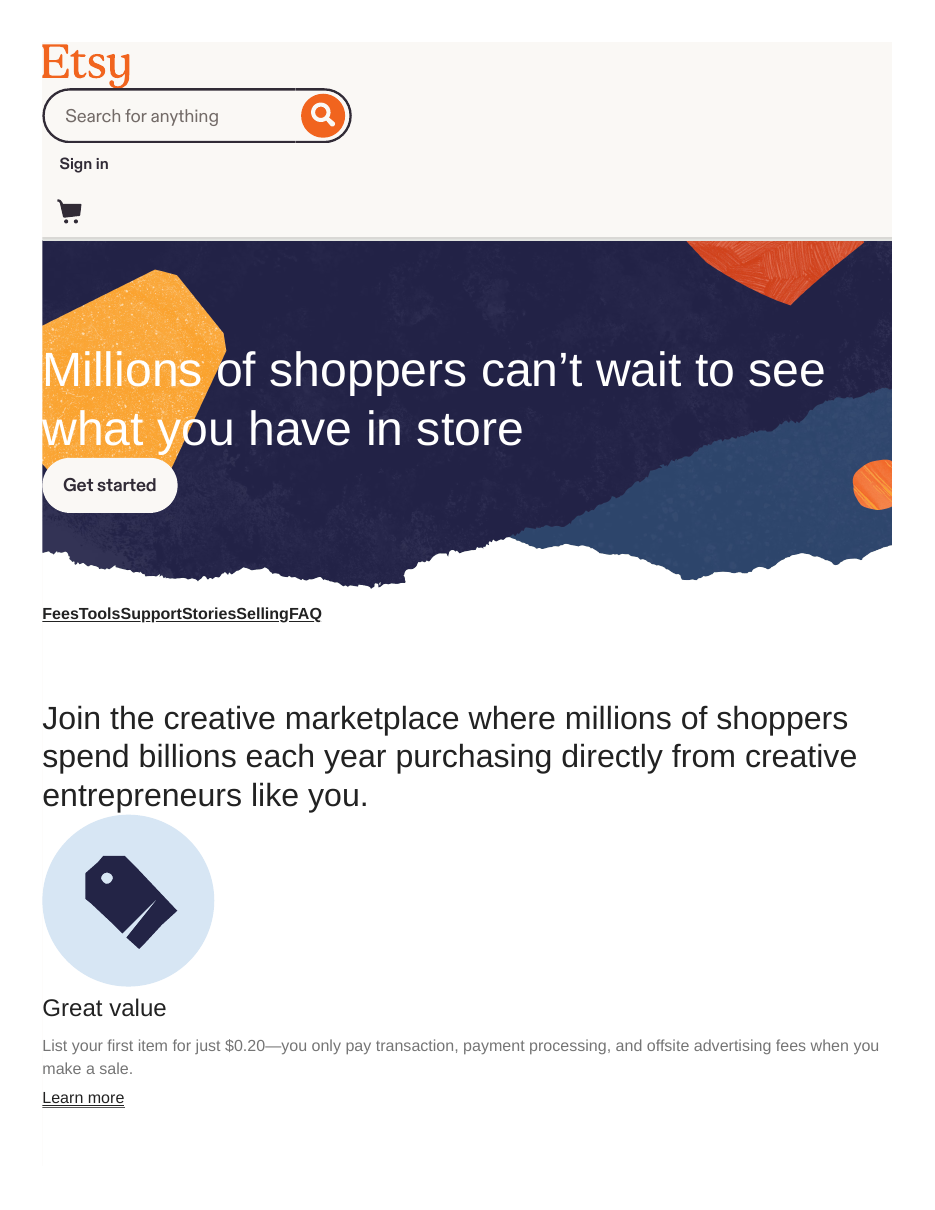
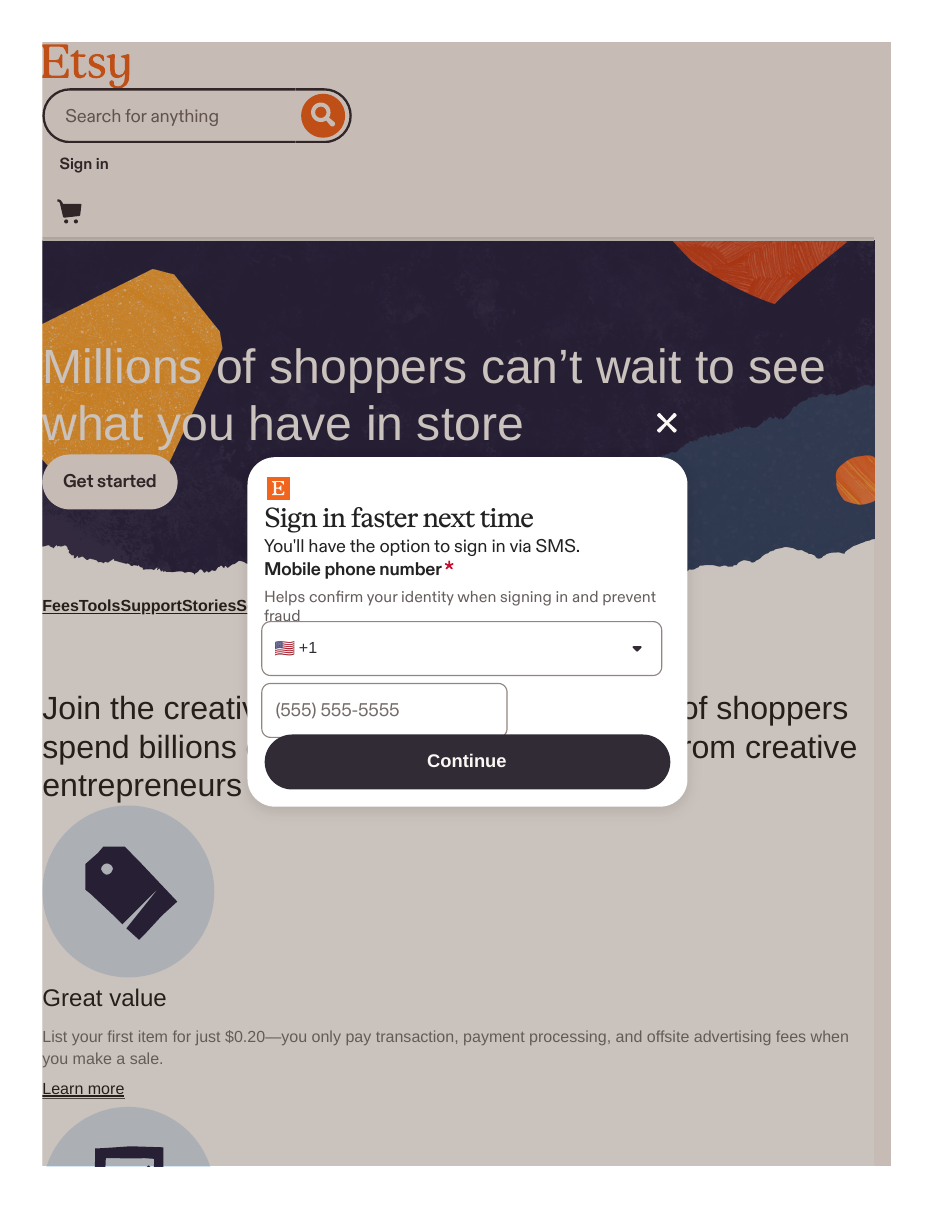
Step 1: Go to Etsy.com/sell
Open Etsy.com/sell in a desktop browser and select Get started.
Step 2: Create or sign in to your Etsy account
You need an Etsy account before you can open a shop. Use your real name and email. If you are under 18, your parent or guardian must do this step with their own details.
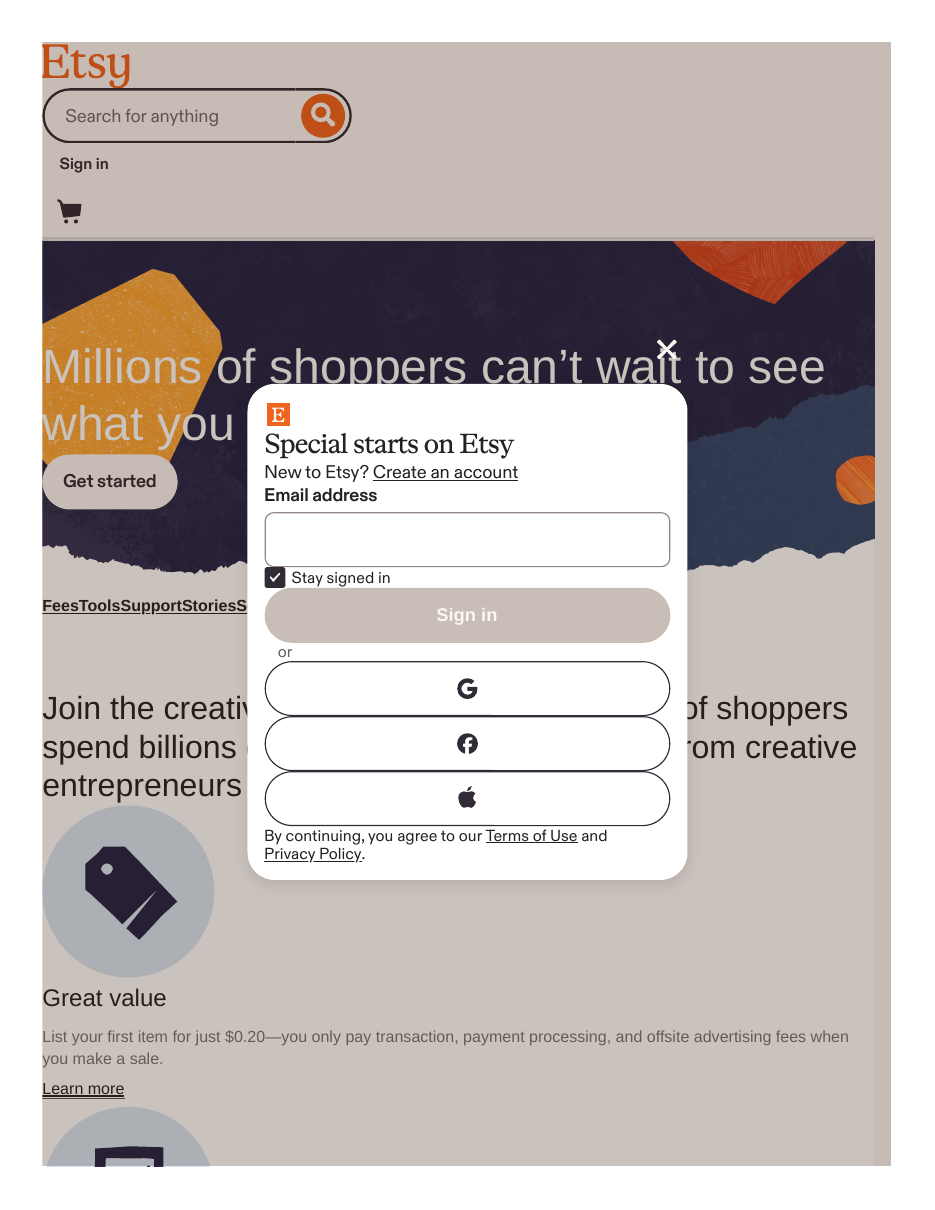
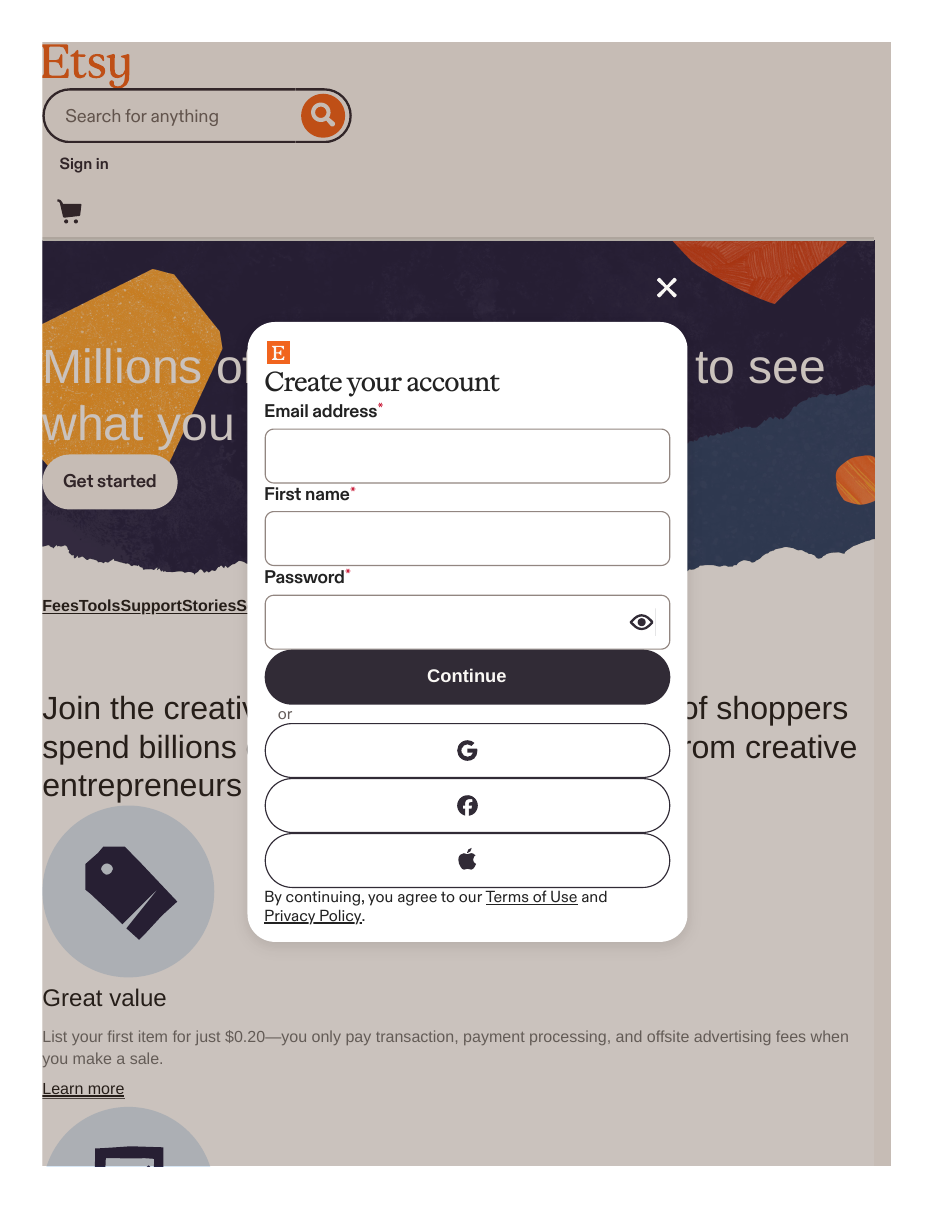
After you create the account, Etsy showed us a phone step. For the number we tried, Etsy said phone verification wasn’t available right now, so we used Skip. Your screen may work fine, and we can’t say what happens when verification goes through.
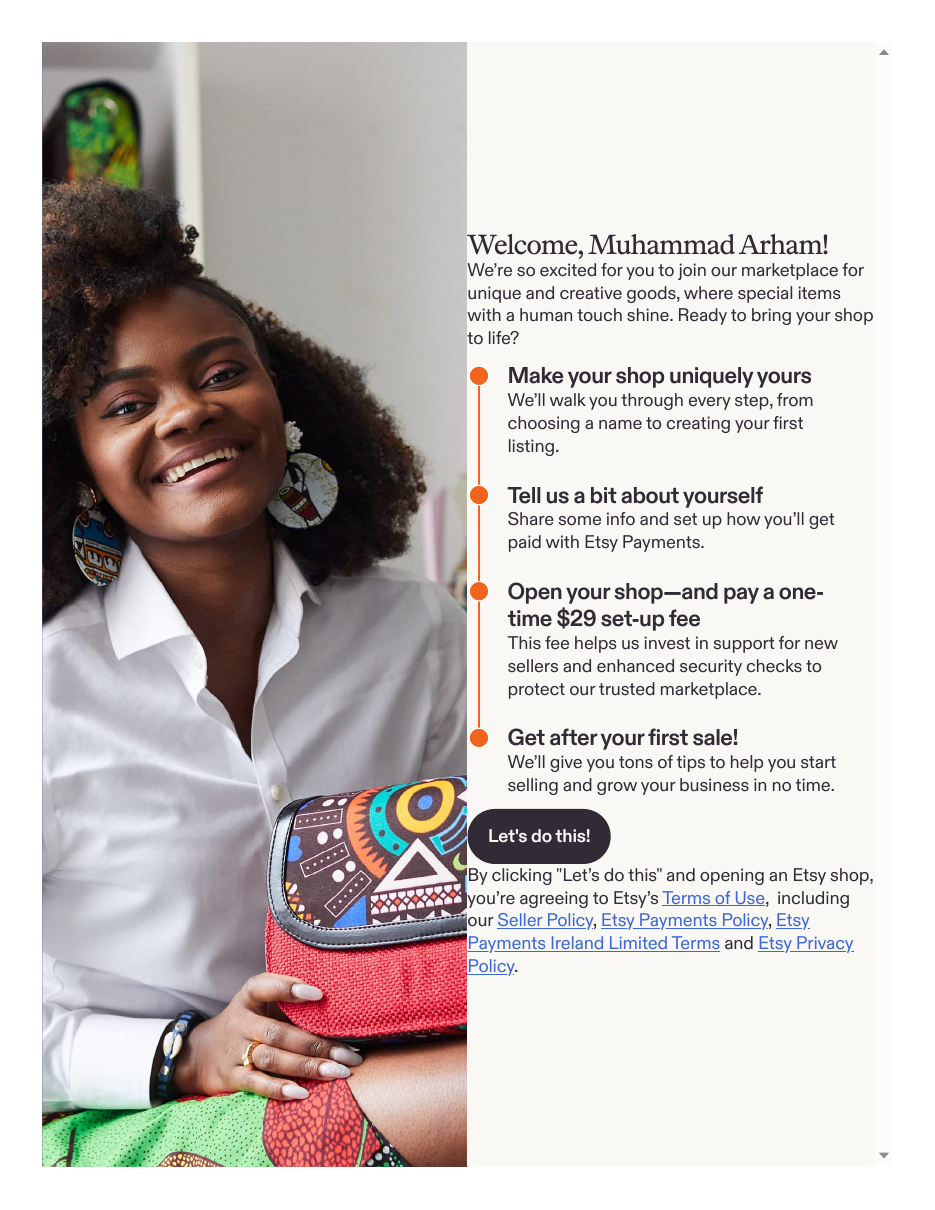
Once your account is ready, Etsy shows a welcome screen.
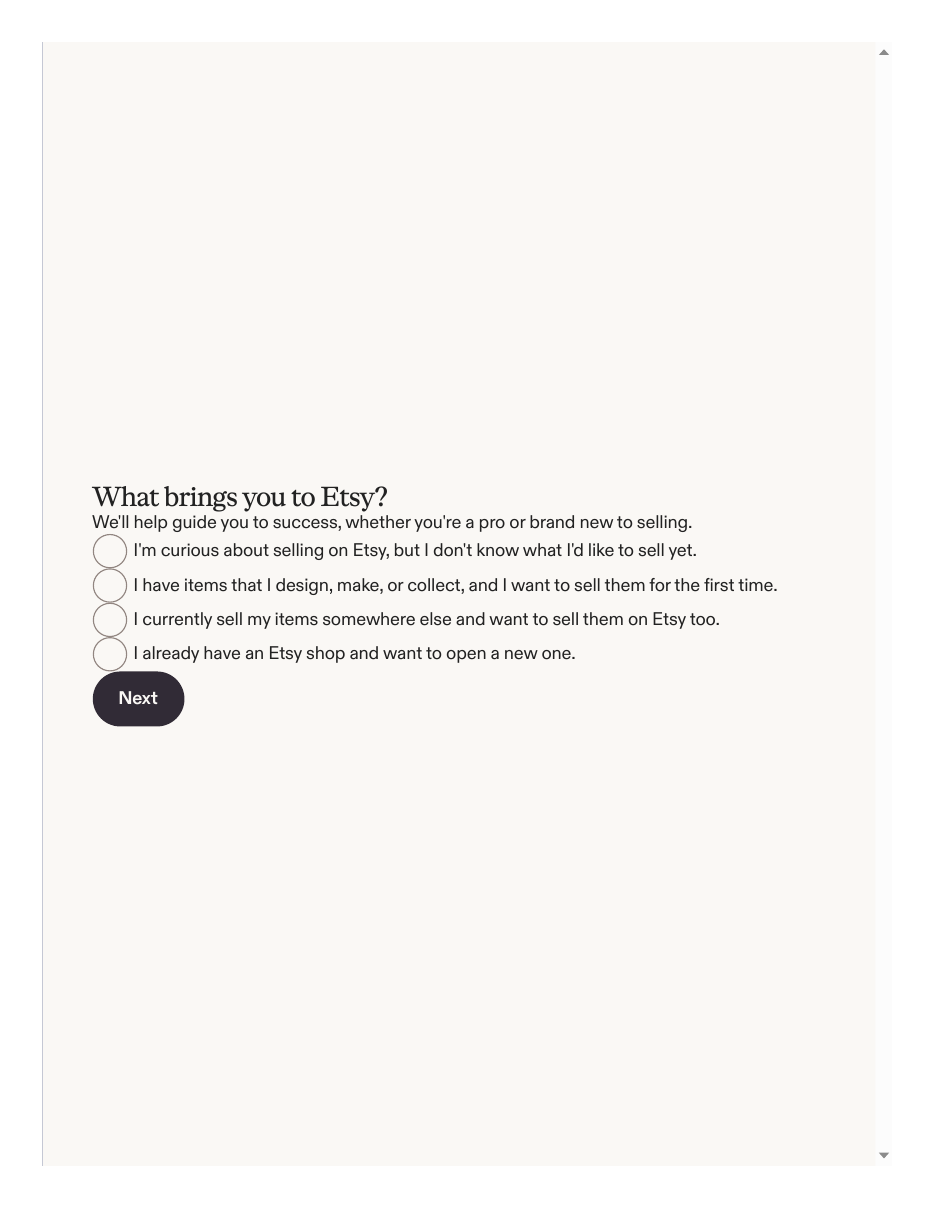
Step 3: Answer the ‘What brings you to Etsy?’ questions
Etsy asks a few questions about your business experience. Answer them and continue.
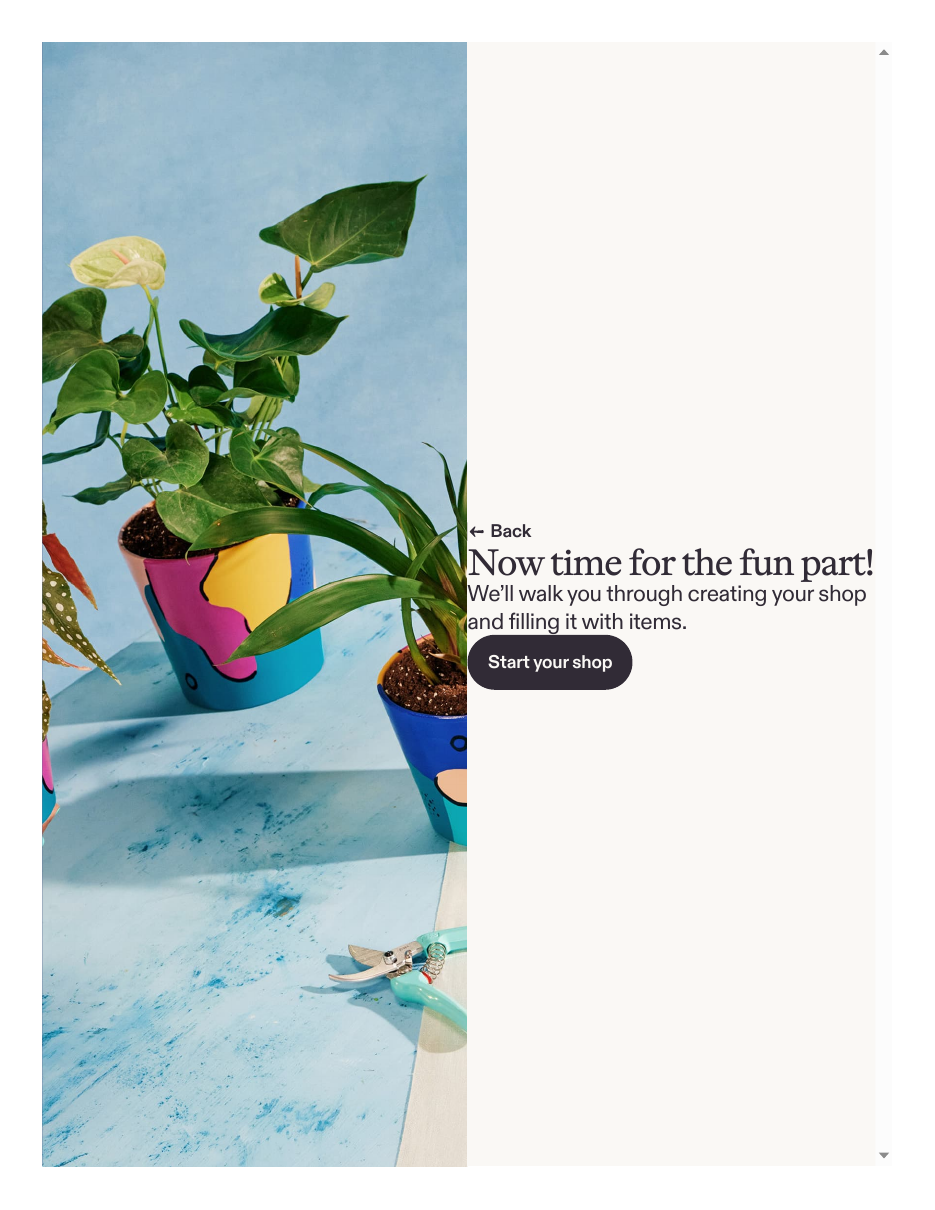
Step 4: Start your shop
Select the button that starts your shop.
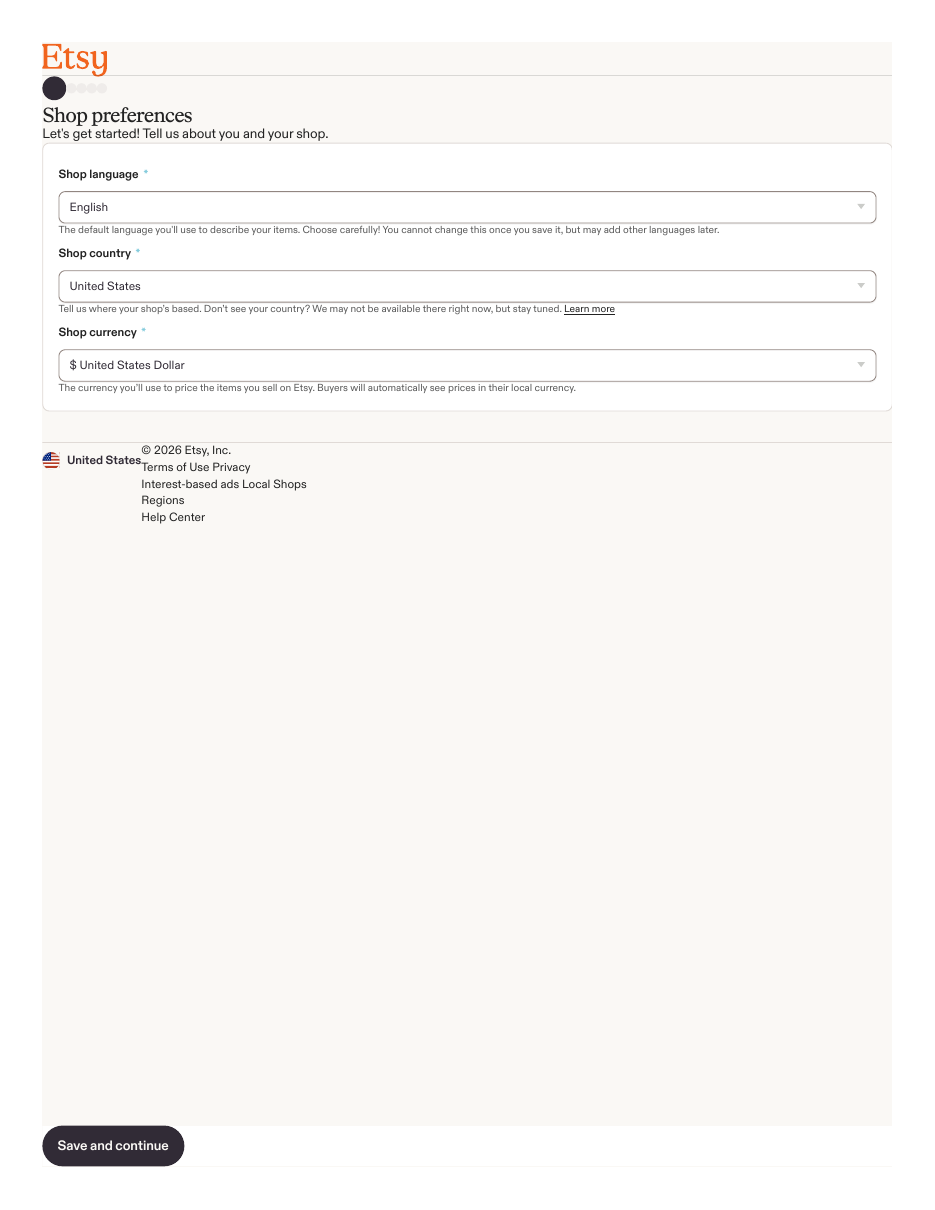
Step 5: Choose your shop preferences
Pick your shop language, country, and currency. You can’t change the language later, though you can add translations after you open. If your bank uses a different currency, conversion fees may apply.
Step 6: Name your shop
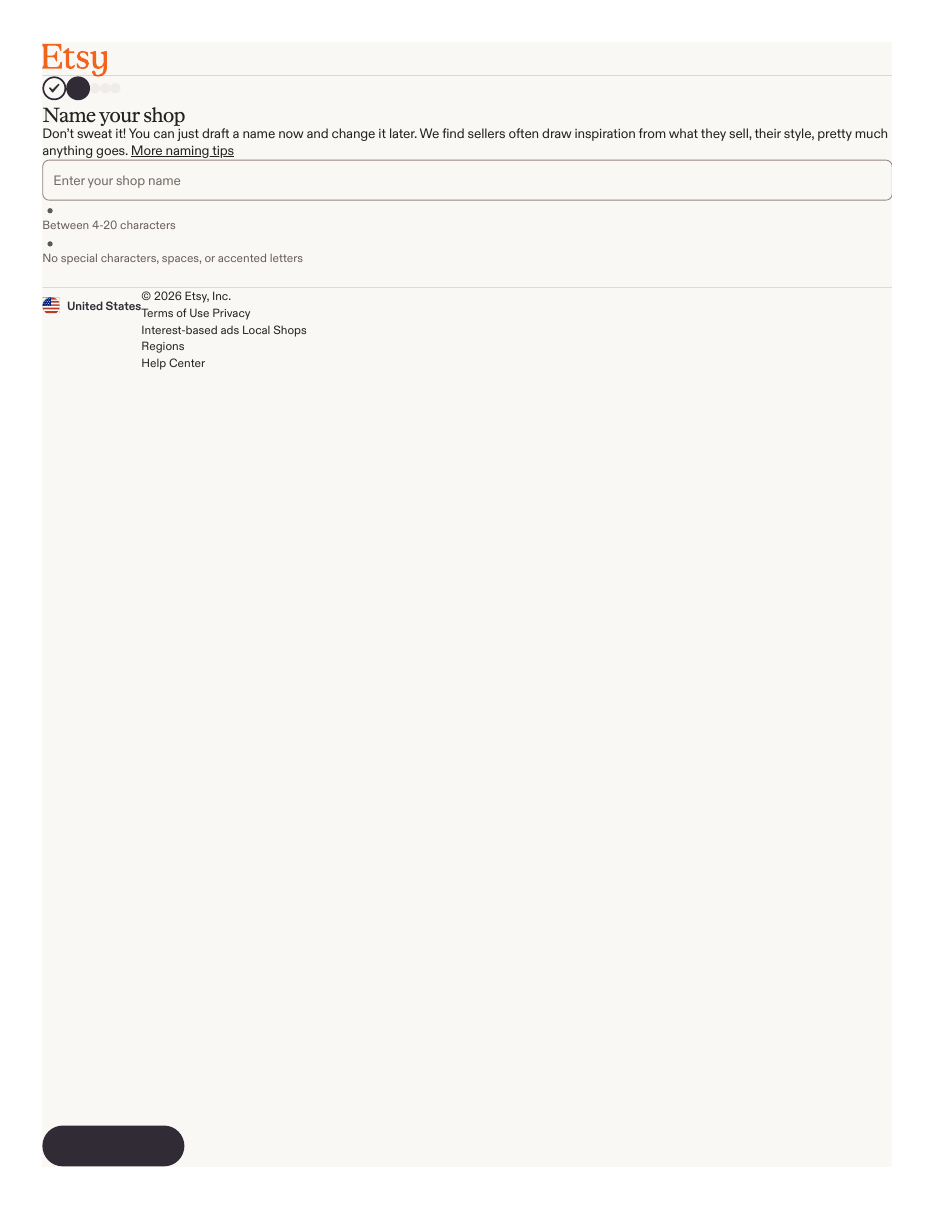
A shop name must be 4 to 20 characters with no spaces or special characters. It can’t be a name someone else uses, and it can’t copy a trademark. If your pick is taken, Etsy suggests names that are free, and it holds your pick while you finish setup. You can change the name later in Shop Manager. Before you commit, search the name on Google and check trademarks on the USPTO site.
Step 7: Set up payment and billing
Etsy asks you to connect the bank account where your sales money will go. US sellers do this through Plaid, a service that checks your bank details. You also say whether you sell as an individual or sole proprietor, or as an incorporated business. Use a bank account in your own name. Then add a debit or credit card to pay Etsy’s bills. A prepaid card you can’t reload can’t be your only or main card.
Step 8: Pay the set-up fee
Once you’ve added your billing information, a one-time, non-refundable set-up fee must be paid. You’ll see the amount in a ‘Total due now’ section. Tick the box there to approve it. Etsy places a pending charge on your card and processes it after your shop is open and can take orders. Once it’s paid, it can’t be refunded, so read the amount first.
Step 9: Verify your identity
Etsy says you must verify your identity before you set up your storefront. You’ll need a photo of your government ID and a clear selfie. Etsy uses a company called Persona to run the check. Your ID can’t be expired, and the name must match the name on your bank account. Etsy may let you pick an express review that uses face matching, or a manual review that doesn’t. You can keep setting up while Etsy reviews your photos. After your shop opens, check the status in Shop Manager, on the Legal & tax information page.
Step 10: Turn on two-factor authentication
Etsy requires two-factor sign-in. When you sign in from a device Etsy doesn’t know, it sends a code you enter first. An authenticator app is the recommended option, and Etsy’s Help Center says to use one if your phone number gives you trouble.
Step 11: Open your shop
When those steps are done, select Open your shop. Etsy then guides you through your storefront and your first listing. Photograph each item before you publish it: our guide to taking product photos for Etsy shows the 10-photo set.
Set up your storefront
Etsy lets you add a logo, a banner, an About section, shop policies, and shipping profiles. A clear logo, a short About story, and simple policies are enough to look trustworthy at first.
Add your first listing
You’ll need:
- A clear title that says what the item is
- Several photos. Etsy’s October 2026 update asks for at least one real, unedited photo of the item (some items are exempt)
- A price and how many you have
- A plain description with size, materials, and options
- Tags and attributes that help people find it
- Shipping details and how long you take to ship
Pick a niche you can explain in one sentence. Ideas to start with include art prints, T-shirts, stickers, photography, vintage finds, crafts, and digital templates. To see what people look for, type a product idea into Etsy’s search bar and read the suggestions. They come from real searches.
Digital downloads and printables
Here is how to sell digital downloads on Etsy. In the listing, choose Digital files as the item type. You can upload up to five files, and each file can be up to 20MB. If you have more files, you can bundle them in one ZIP file, but the ZIP still has to fit the size limit. Say what’s in the download so buyers know what they get. Only sell designs you made yourself, and say so in the listing if AI helped make them.
Print on demand (Printify)
To start an Etsy print on demand shop, you upload your own design, and a partner prints it on a shirt, mug, or poster after someone buys it. Printify is one option, and Printful is another. Check each one’s current prices and Etsy setup steps before you pick. Etsy requires you to be open about this. You must tell buyers when a production partner helps make your items. In Shop Manager, go to Settings, then Partners you work with, and add the partner. You can also add them inside a listing. Printify’s help guide says to set ‘Who made it?’ to ‘Another company or person.’ The designs must be yours.
Shipping and fulfillment
Set up shipping profiles so buyers know what they’ll pay and when to expect the order. Be realistic about processing time, and build packaging costs into your shipping price. Labels bought through Etsy add tracking automatically. Digital items need no shipping. For print on demand, list your partner’s real shipping times.
Publish and get your first visitors
When your shop is open and your first listing is ready, publish it. Then the real work starts, which is getting found. Etsy search matches what buyers type with the words in your titles, tags, categories, and attributes, so use the phrases real shoppers use. Our guide to free and paid Etsy SEO tools can help you find the right phrases. Share your links on social media, and be patient. Listings often take weeks to gain traction. Etsy may also advertise your items outside Etsy through Offsite Ads. While your sales are under $10,000 a year, you can opt out. Once you reach that point, the 12% fee applies for the life of your shop.
Manage your shop and get paid
Orders, messages, and listings live in Shop Manager. New sellers get weekly deposits on Mondays by default. Money can take three to five business days to reach your bank. Etsy may also put a ‘reserve’ on a new shop that has no sales history. That means part of each new physical order is held until tracking shows it’s on its way. Adding tracking can release it sooner. Instant transfers have a $500 limit per transfer, and a fee may apply.
Once your shop is live and your first order comes in, our complete guide on how to sell on Etsy covers fees, pricing and your first sales in more depth.
What to do when setup goes wrong
- Your ID check fails (Step 9). Make sure the ID isn’t expired and the name matches your bank account. Try another device with a better camera, or choose the manual review option if Etsy offers it.
- Your bank won’t connect (Step 7). You can verify with your routing and account numbers instead of your online banking login. Plaid then sends a $0.01 deposit. Etsy sets a deadline for bank verification, so finish it quickly.
- The page won’t load or save. An old browser is a common cause. Switch to Chrome, Firefox, Edge, or Safari. Some guides also suggest turning off VPNs and ad blockers.
- Your card is rejected (Steps 7 and 8). If it’s a prepaid card you can’t reload, add a regular debit or credit card instead.
- You can’t open your shop (Step 11). Finish every earlier step first, including billing, the set-up fee, your ID check, and two-factor sign-in.
Who should skip Etsy (or wait)
Etsy isn’t for everyone. You may want to skip it or wait if:
- You want to resell mass-produced goods. Etsy’s rules don’t allow it.
- Your margins are thin. In our $30 example, fees took about 11% of the order, and much more on an ad sale.
- You need your money fast. New shops can face a reserve.
- You want full control of your brand and customers. Etsy’s marketplace sits between you and your buyers.
- You’re under 13. Etsy doesn’t allow it. Teens 13 to 17 need a parent’s account.
If you want your own store instead, Shopify and other website builders are worth a look.
FAQ
How easy or hard is it to start an Etsy shop?
Setup is straightforward. The bank, card, set-up fee, and ID steps are where people slow down. The hard part comes later, which is getting your first sales.
Can I start an Etsy shop for free?
Almost. There’s no monthly fee, but you need a card, a set-up fee may apply, and each listing costs $0.20.
Do I need a business license to sell on Etsy?
Etsy doesn’t require one, but local laws may apply.
Can a teenager start an Etsy shop?
Teens 13 to 17 can sell only on an account owned by a parent or guardian. The parent signs up with their own information.
Can I sell on Etsy without inventory?
Yes. Sell digital downloads or use a print-on-demand partner. The designs must be yours, and you must tell buyers about the partner.
