




How To Know If Someone Blocked You On Viber
Have you been trying to contact someone on Viber but you can’t seem to get through? There are a few possible explanations. Maybe they’ve changed their phone number, or maybe they’ve just turned off their Viber account.
However, if you think someone has blocked you, there are a few ways to find out. First, try sending them a message. If it shows up as “delivered” but the person never responds, it’s likely that they’ve either blocked you or deleted their account. Another way to check is to look at your contact list.
If the person’s name and profile picture are no longer there, they may have blocked you. Finally, try making a call. If it goes straight to voicemail or if you can hear their voice but they can’t hear yours, it’s likely that you’ve been blocked. While it can be frustrating not to be able to communicate with someone on Viber, hopefully, these tips will help you figure out what’s going on.
Viber is one of the most well-known and credible messaging apps, like Skype or Whatsapp. You can know if someone blocked you on Viber without notification.
It is a free, easy-to-use app with some extra features, a userbase of millions, and is frequently used to keep in touch with friends and family.
All the social apps have features to manage the strange behavior and toxicity that some people show when online.
Luckily, Viber has all the tools to avoid getting interrupted and manage online interactions. In this article, you will know about blocking and how you will find when someone blocked you on Viber.
How to know if someone blocked you on Viber?

Like most social networking apps, Viber also doesn’t alert you when you get blocked.
There are some tips or signs that should help you.
When there are no more profile updates

- One of the most basic ways to verify if someone has blocked you on Viber is via profile updates.
If a person is previously active and now you will be unable to see the profile or status update of that particular person in the future, it is the indication that you may have been blocked.

When there is no message received notification

- Generally, after sending a message on Viber you will see a notification as “Delivered or Seen” showing you the status of the message.
- But in case you message someone and deliver or see notifications don’t appear, then it means you could have been blocked.
- Because messages sent to people who already blocked you will never get successfully Delivered or Seen yet remain as sent.
When there are no interactions with the person in group chat
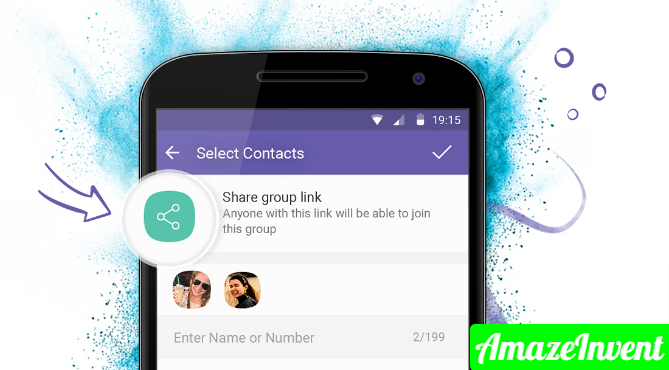
- After a person blocks you on Viber, he or she will not be able to read your message.
- For instance, you are both active in group chat, you send a message in a group but you don’t receive their reply.
- It means they are unable to see your message, they probably could have blocked you.
Confirm by Placing a call to the person
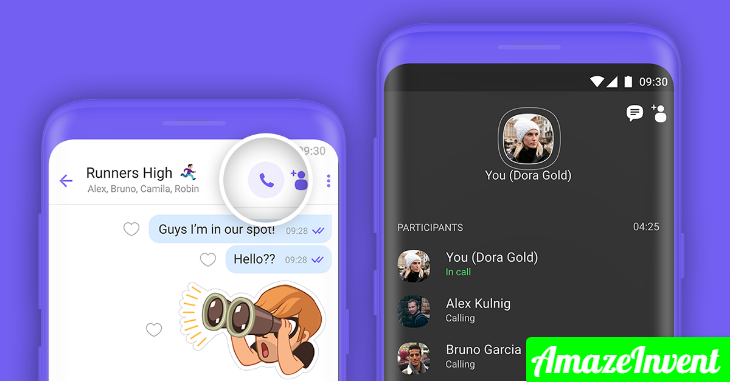
- You can try by placing a Viber call to a person if you are not sure that he or she blocked you or not.
- If the status of the call shows calling instead of Ringing then there are chances that you could have been blocked.
Some other ways

There are some other best ways to confirm about the person for whom you are expecting to block you.
- The first and foremost thing is to ask, if you know that person in real then the better option is to approach on other social networks.
- You just need to be nice and be calm.
- If you don’t want to ask straightforward, you can rephrase it as I thought it was a Viber issue rather than a behavior issue.
- You can also judge with the help of a common friend, ask him or her to send that particular person. If that person responds to your friend then it’s a great sign of blocking.
Otherwise, if your friend doesn’t get a response then this is not blocking, it might be some other issue.
Conclusion
Identical to WhatsApp, Viber is also another trendy messaging app with an extraordinarily growing user population.
On the other hand, the users of these apps frequently ask questions about the method to check to know if someone blocked you on Viber.
Hence, to help you out this article comes with the most common tricks to find your answers. The above-mentioned signs could help you but remember not to jump to a conclusion without having solid evidence.
This article was super helpful! I had a suspicion that someone blocked me on Viber, and now I feel more informed about the signs to look for. Thanks for breaking it down so clearly!
Great tips! I never knew about the last seen status and how important it can be. I’ve had a feeling someone might have blocked me, and your suggestions really helped clarify things. Thanks for the insights!
This article was super helpful! I had a suspicion that a friend blocked me on Viber, and the tips you provided made it much clearer. Thank you for breaking down the signs so clearly!
Great tips! I never realized how many signs there are to tell if someone blocked me on Viber. The suggestion to check message statuses was particularly helpful. Thanks for sharing!
Great tips! I had no idea about the last method you mentioned. It’s really helpful to know how to check if someone blocked me on Viber without directly asking. Thanks for sharing!
This is such a helpful post! I’ve been wondering if someone blocked me on Viber, and your tips make it so much clearer. I appreciate the detailed explanations and examples. Thanks for sharing!
Adult is toegankelijk via veilige en betrouwbare websites.
Ontdek veilige adult sites voor kwaliteitsinhoud.
Feel free to surf to my homepage :: BUY VIAGRA ONLINE
Great tips! I never knew about checking the last seen status. That’s definitely a useful way to figure things out. Thanks for sharing!