5+ Best Wireless Routers Under $100 2025
For the best performance and best features, a person doesn’t need to go for the latest model of the most expensive wireless router available in the market.
You can get the best performance and features in low-budget wireless routers as well, that is why I have summed up some best wireless routers that you can buy under a $100 budget only.
After watching my friend do that all, I noticed one thing if you don’t know your needs or requirement for a router, it is not worth wasting your precious time searching for the best.
To save you guys from what my friend went through, I have written this article so you guys can know what things are necessary and important to look at and consider in a budget wireless router, and then I will be providing you with a list of some best wireless routers you can buy which will have every quality and ability you need or require from a wireless router.
Things That You Should Consider and Look For in a Budget Wireless Router
I will not take a lot of your time to tell you about these important factors you should look at before buying a Wireless router, which is why I will only be describing these factors briefly so that we can get onto the list of the Best Wireless Routers under $100 budget.
Keep the following things in mind before you buy a Wireless Router:
- SINGLE OR DUAL BAND: If you are looking for a wireless router to support one of two computers and some smartphones at a time, you can go for a single band router that will even save you some money.
A Single-band router can still provide you with up to 300Mbps speed and usually offers a good range of connectivity, but it is a thing of the past now.
If you are a smart home internet user or a diehard gaming person, a dual-band 802.11 ac wireless router will do the job for you and will be a much better option to buy. - COVERAGE: If you cannot spend a lot of money and are looking for a budget wireless router doesn’t mean that you will have to sacrifice coverage. Many in-budget wireless routers can provide you with over 2000 square feet of coverage.
- ETHERNET PORTS: You have to choose between 2 options here, a Fast Ethernet port, or a Gigabit Ethernet port.
The Fast Ethernet ports have a throughput of 100Mbps and refer to as 10/100, whereas the Gigabit Ethernet port has a throughput of 1000Mbps and refers to as 10/100/1000.
If you generally see the results, Gigabit Ethernet Port is a good choice to make.
These were some of the important factors that you should always consider before buying a wireless router.
But keep in mind that in this article we will be talking about some in-budget wireless routers so you will have to make some minor compromises with the specifications here.
5+ Best Wireless Routers Under $100 2025
I will now be listing below some of the best wireless routers under a $100 budget with briefly described features and pros and cons.
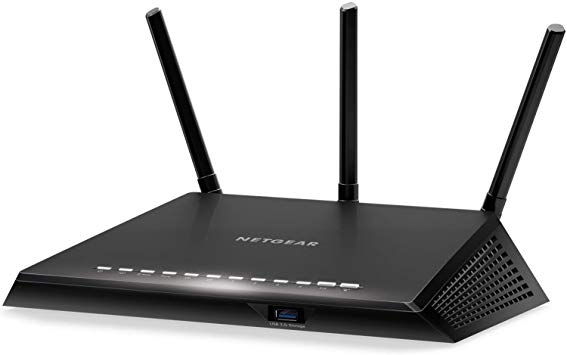
NETGEAR R6700 Nighthawk AC1750 Dual Band Smart WiFi Router
[maxbutton id=”4″ url=”https://amzn.to/3bJpITG” ]
This device here is considered the best-selling wireless router under this $100 budget. Image source: here
NETGEAR R6700 Nighthawk is an elegant dual-band 802.11ac Wi-Fi router which has all the features you would like and need to have.
- This great wireless router offers you up to 450 + 1300Mbps maximum speed for gaming purpose
- It comes with a 1GHz dual-core processor which is used to boost both, wired and wireless performance
- This one has an Advanced QoS feature which makes sure that you have a lag-free gaming experience
- This NETGEAR R6700 is considered ideal for large homes that contain more than 12 Wi-Fi devices
- It offers you a parental control feature as well to provide a safer web experience for your children
[i2pc pros_icon=”icon icon-thumbs-o-up” cons_icon=”icon icon-thumbs-o-down” show_title=”false” title=”Pros & Cons” show_button=”false” pros_title=”Pros” cons_title=”Cons” ][i2pros]
It has an elegant and attractive design
You get access to beamforming technology which provides you with an exceptionally long range
The 11ac speed on this NETGEAR R6700 is amazing and impressive
Performance of NAS storage is sturdy and reliable
It is a great option for 4K streaming and gaming purpose
[/i2pros][i2cons]
The throughput speed on the 2Ghz band module could have been better to make this device much better
The bridge mode configuration on this NETGEAR R6700 is insufficient.
[/i2cons][/i2pc]
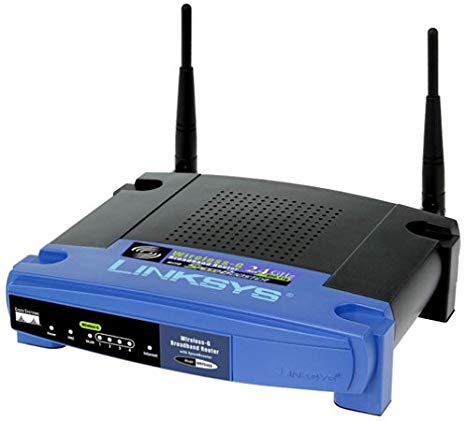
Linksys WRT54G Wireless-G Router
[maxbutton id=”4″ url=”https://amzn.to/2V3Zrtn” ]
This Linksys WRT54G Wireless-G Router is considered a beginner-friendly router and one of the best home wireless routers under $100.
This wireless router comes and provides you with everything you need or require for the best internet access. AmazeInvent
- It is great Linksys WRT54G Wireless-G Router offers you innovative wireless security including IP address, filtering, wireless MAC address filtering, and encryption of 128 bit WEP
- This wireless router interoperates with the clients having 802.11b at the speed of 11 Mbps
- It supports and runs up to 54 Mbps wireless data rates, which is 5 times faster than the 802.11b
- This one comes with all one internet sharing router along with a Wireless-G access point and 4 ports switch at the back of it
[i2pc pros_icon=”icon icon-thumbs-o-up” cons_icon=”icon icon-thumbs-o-down” show_title=”false” title=”Pros & Cons” show_button=”false” pros_title=”Pros” cons_title=”Cons” ][i2pros]
It has a sleek and compatible design, looks super cool
This one is incredibly easy to handle and carry around anywhere
It is very durable. It can handle a few drops as well
The installation process of this wireless router is straightforward to understand
It comes at a very affordable
It offers you faster and greater internet access
[/i2pros][i2cons]
The operation connection range of this wireless router is short
The mixing mode operation between these two, the Wireless-G and 802.11b results in poor performance of connectivity with 802.11b
[/i2cons][/i2pc]
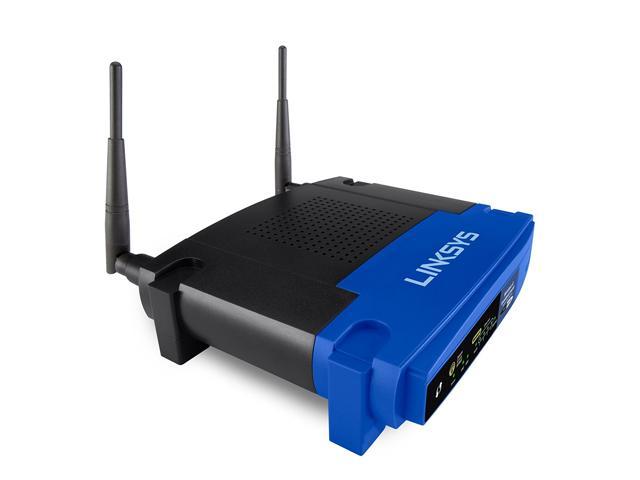
Linksys WRT54GL WiFi Wireless-G Broadband Router
[maxbutton id=”4″ url=”https://amzn.to/37AzN1P” ]
I have another great small router for your home and office use. This great wireless router is considered the best versatile router under a $100 budget.
- This little buddy includes a built-in Wireless-G point and four LAN ports which are 10/100 switched
- It offers you up to 54 Mbps maximum connection rate speed
- This Linkys WRT54GL wireless router comes with open source based on Linux
- It supports both, the 802.11b and 802.11g network standards
- This one provides you with a parental control feature to offer safe internet access for your children and family members
- It comes with two external antennas and it is also compatible with the old Windows XP and Windows Vista 32 bit / 64 bit.
[i2pc pros_icon=”icon icon-thumbs-o-up” cons_icon=”icon icon-thumbs-o-down” show_title=”false” title=”Pros & Cons” show_button=”false” pros_title=”Pros” cons_title=”Cons” ][i2pros]
The installation procedure is very easy and it is very simple to operate
It comes included with an instruction guide which is very simple to follow
It offers you high-speed wireless internet connections
The design of this wireless router is durable and excellent in every way
The wireless connection on this wireless router is remarkable
[/i2pros][i2cons]
It supports Wireless-G connectivity only.
[/i2cons][/i2pc]
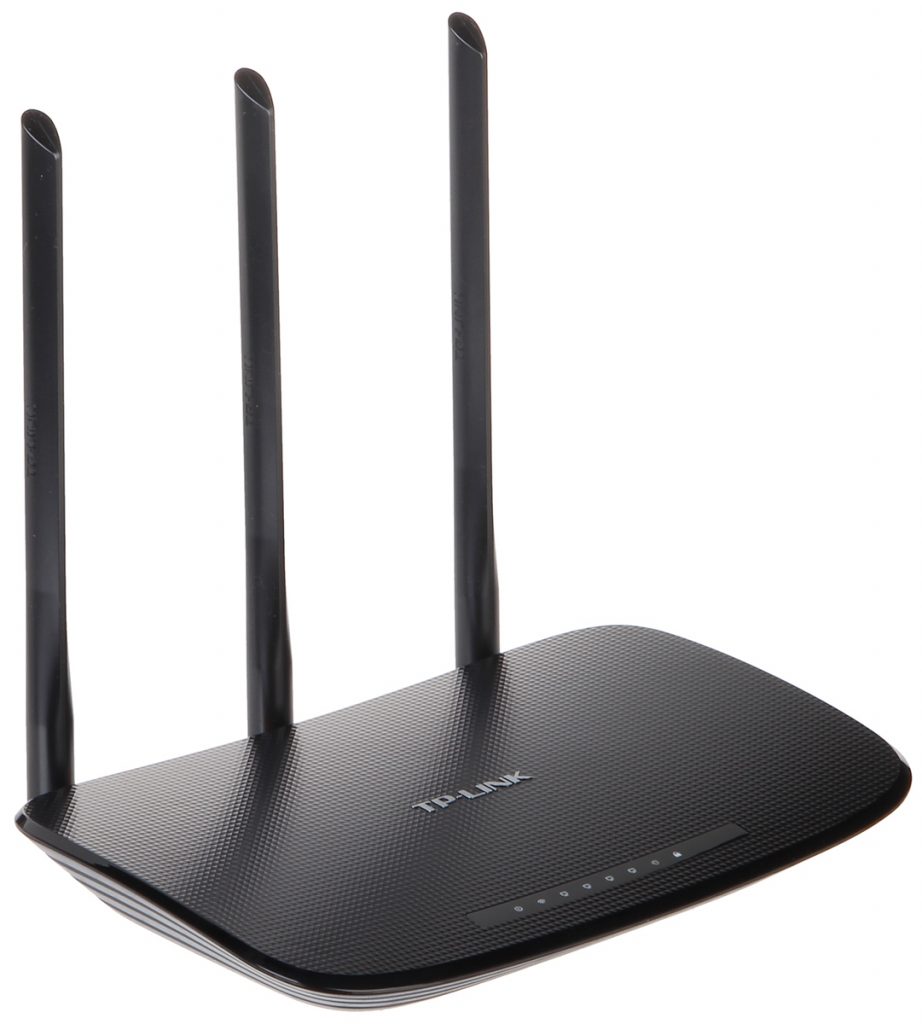
TP-Link N450 WiFi Router
[maxbutton id=”4″ url=”https://amzn.to/2SJwAYc” ]
This device is said to be the best household router under a $100 budget.
- It has Wireless-N technology (802.11n) and it operates 15 times faster than Wireless-G
- It has 4 Ethernet ports which allow files, music, video sharing over the network
- This one is backward compatible with 802.11b/g
[i2pc pros_icon=”icon icon-thumbs-o-up” cons_icon=”icon icon-thumbs-o-down” show_title=”false” title=”Pros & Cons” show_button=”false” pros_title=”Pros” cons_title=”Cons” ][i2pros]
This one comes at a very affordable price
It offers excellent close-range wireless performance
Installation is easy
[/i2pros][i2cons]
No USB ports
[/i2cons][/i2pc]
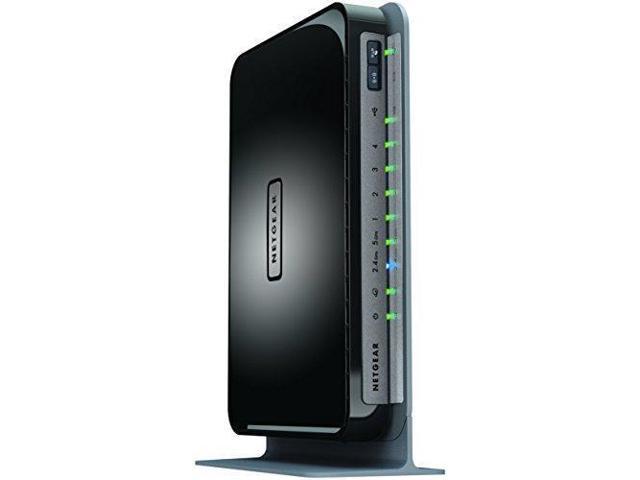
NETGEAR N750 Dual Band 4 Port WiFi Gigabit Router
[maxbutton id=”4″ url=”https://amzn.to/2P0gqJg” ]
This device is considered the best value WiFi router under this $100 budget.
- It is ideal for large houses
- It allows you to access and share printer and USB hard drive wirelessly
- This one offers up to 750 Mbps internet connection
[i2pc pros_icon=”icon icon-thumbs-o-up” cons_icon=”icon icon-thumbs-o-down” show_title=”false” title=”Pros & Cons” show_button=”false” pros_title=”Pros” cons_title=”Cons” ][i2pros]
Installation is easy
Impressive dual-band connection
Excellent wireless performance
It covers a wide range for you
Comes at a very affordable price
[/i2pros][i2cons]
No strong NAS capabilities
USB support limited to storage devices only
[/i2cons][/i2pc]
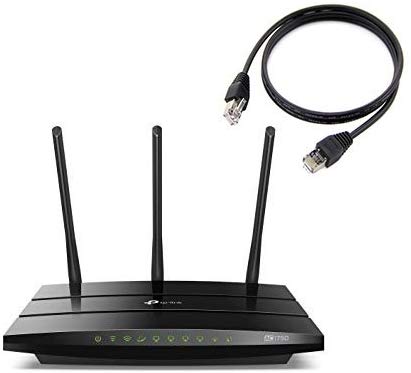
TP-Link Archer AC1750 Smart WiFi Router
[maxbutton id=”4″ url=”https://amzn.to/321AKyZ” ]
This is said to be the best budget wireless router. The reasons are listed below:
- It is dual-band 2.4GHz and 5GHz. Up to 450Mbps and 1300Mbps
- The app allows you to set up and simply manage your home network
- You get two years limited warranty with it
- It has 3 External Antennas and 3 Internal Antennas
- It has advanced Wireless AC technology
- 4 ports of Gigabit Ethernet and 1 port of Gigabit WAN
- It offers you 2 USB 2.0 ports
- It has a very good compatibility and support level
[i2pc pros_icon=”icon icon-thumbs-o-up” cons_icon=”icon icon-thumbs-o-down” show_title=”false” title=”Pros & Cons” show_button=”false” pros_title=”Pros” cons_title=”Cons” ][i2pros]
This one comes at a reasonable price
Performance is excellent
The installation procedure is simple and easy
Easy to use and easy configuration of settings
External antennas are strong
[/i2pros][i2cons]
Only 2.0 USB ports
Limited Wireless settings
[/i2cons][/i2pc]